General
Life
Accessibility Options


General

General Products
Simple & Transparent! Policies that match all your insurance needs.
 Car Insurance
 Two Wheeler Insurance
 Commercial Vehicle Insurance
 Health Insurance
 Home Insurance
 Travel Insurance
 Business Insurance
Car Insurance
Two Wheeler Insurance
Commercial Vehicle Insurance
Health Insurance
Travel Insurance
Business Insurance
Car Insurance
Two Wheeler Insurance
Commercial Vehicle Insurance
Health Insurance
Travel Insurance


Scan to download

Life

Life Products
Digit Life is here! To help you save & secure your loved ones' future in the most simplified way.
 Term Life
 Savings Plan
 Retirement and Pension Plans
 Group Life Products
 Product Documents
Term Life
Savings Plan
Retirement and Pension Plans
Group Life Products
Product Documents
Term Life
Savings Plan
Retirement and Pension Plans
Group Life Products
Scan to download

Claims
Claims
We'll be there! Whenever and however you'll need us.
 Customer Support
 Motor Claims
Health Claims
Motor Claims
Health Claims
 Marine Insurance
 Grievance Redressal
Customer Support
Motor Claims
Health Claims
Marine Insurance
Grievance Redressal
Grievance Redressal
Customer Support
Motor Claims
Health Claims
Marine Insurance
Grievance Redressal
Scan to download
 General
 Life
General
Life
Life
General
Life
Renewals
Resources
Resources
All the more reasons to feel the Digit simplicity in your life!
Exclusive Features
 Transparency Report
Others
Exclusive Features
Transparency Report
Transparency Report
Others
Exclusive Features
Transparency Report
Scan to download


Our WhatsApp number cannot be used for calls. This is a chat only number.

 Grey Scale
 Readable Text
 Reset
Reset



Checking your vehicle's Pollution Under Control (PUC) status online is a quick and convenient way to verify whether your certificate is valid or due for renewal. By checking the status regularly, you can stay compliant with emission regulations, avoid penalties, and ensure your vehicle continues to meet the prescribed pollution norms. Besides, An invalid PUC certificate can attract a hefty penalty of up to ₹1000.
You can check your PUC status online to access important details such as the certificate number, validity period, test date, and current status. This helps you keep track of your certificate's expiry date and renew it on time whenever required.

Table of Contents

You can check your vehicle's PUC status online in just a few taps using the Digit App:
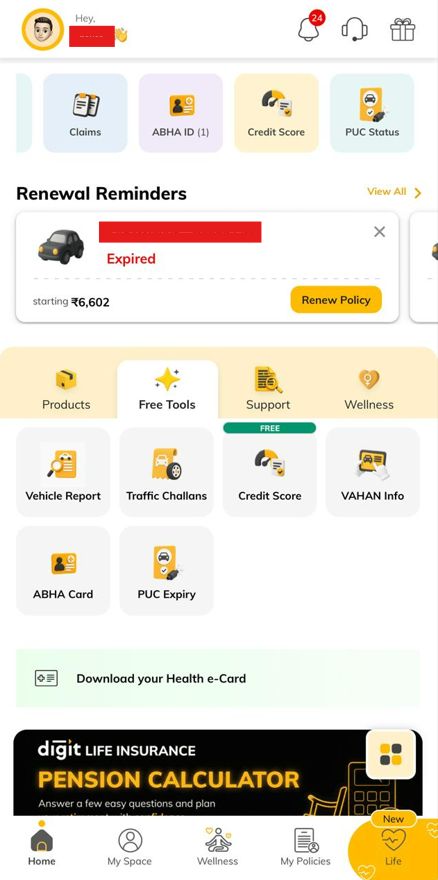
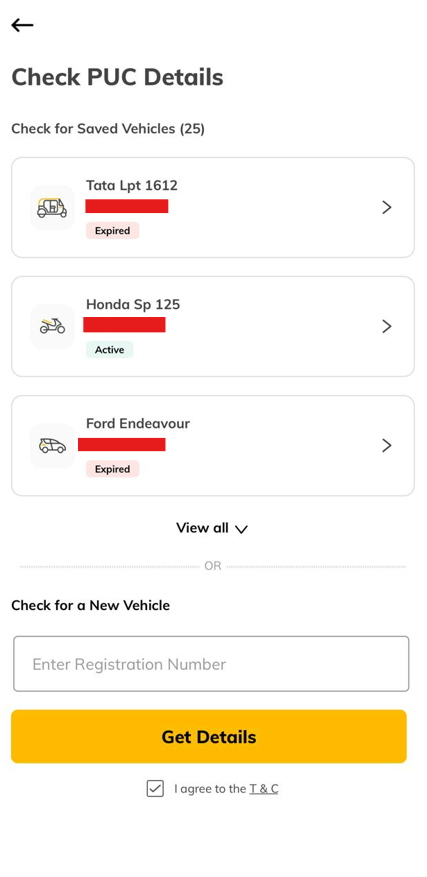
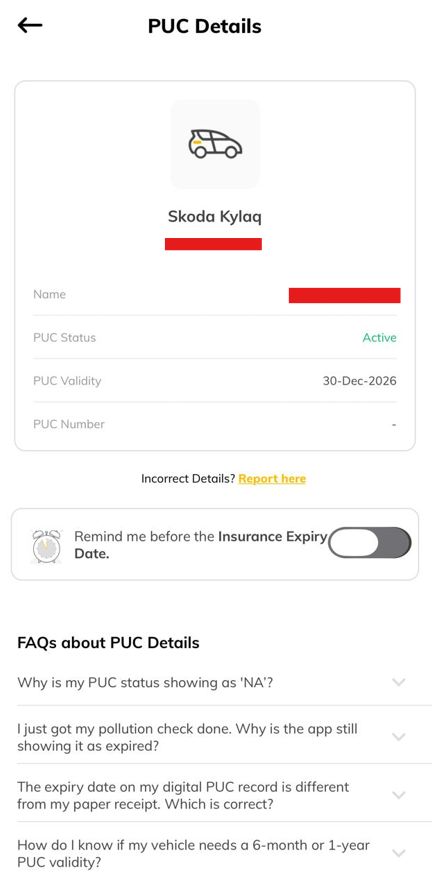
The selected vehicle's owner details, PUC certificate number, certificate status, and validity period will be shown.
Here are the steps to check PUC status online:
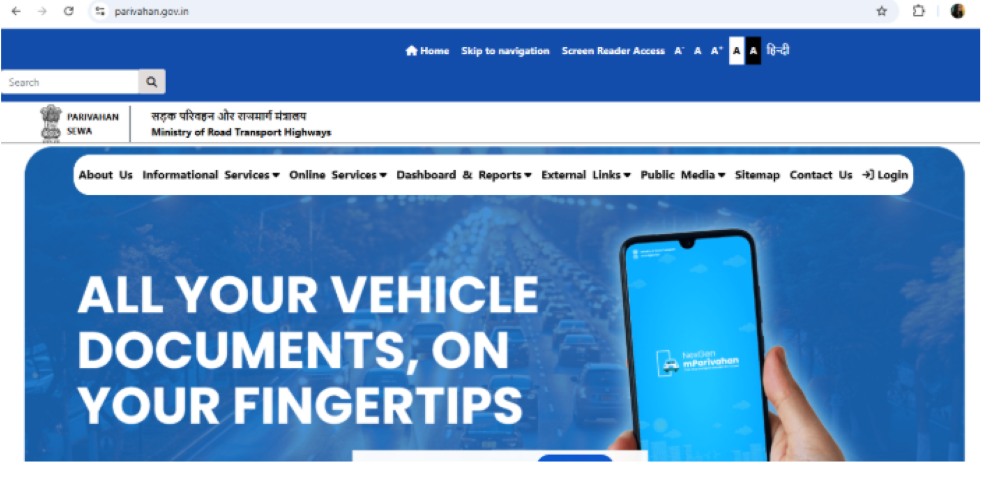
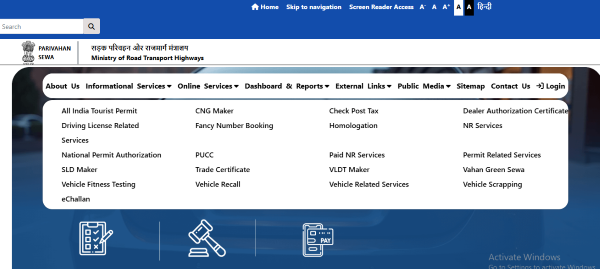
After completing the steps above, you can instantly access your PUC certificate status.

I lost my PUC Certificate. Can I get a copy online? - Yes, if your PUC Certificate is still valid and available in the Parivahan database, you can download a duplicate copy online using your vehicle registration number and chassis details.
If your PUC Certificate is still valid, you can download a copy online through the Parivahan PUC Portal. If the certificate has expired, you must undergo a fresh emission test at an authorised PUC centre to obtain a new one.
Note: Only active PUC Certificates available in the Parivahan database can be downloaded online. Expired certificates require a fresh emission test.
The validity of a PUC Certificate depends on the vehicle type and whether it is being issued for the first time or renewed after an emission test.
Note: The validity period mentioned on the PUC Certificate is determined by the authorised testing centre based on the applicable emission norms and the vehicle's emission test results.
The penalty for driving without a valid PUC Certificate can vary depending on the state and the applicable enforcement rules.
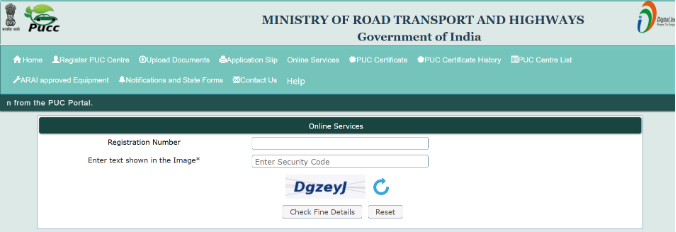
If a fine has been issued for an expired PUC Certificate, you can check the details and make the payment online through the Parivahan PUC Portal.
Steps to Pay the Fine:
Once the payment is successful, keep the payment receipt for future reference.
I am buying a used vehicle. How can I verify its PUC status? - You can check the vehicle's PUC status online through the Parivahan PUC Portal. This helps verify whether a valid PUC Certificate exists and when it expires.
You can view your vehicle's previous PUC test records and certificate details online through the Parivahan PUC Portal.
Steps to Check PUC History Online:
Note: PUC history is available only for records updated in the Parivahan database by authorised PUC centres.
Checking your vehicle’s PUC status and validity online is a quick and hassle-free way to ensure compliance with emission norms and avoid penalties. By regularly verifying your PUC certificate and renewing it before expiry, you can contribute to a cleaner environment while keeping your vehicle legally roadworthy. Always keep your PUC certificate updated and readily available whenever required.