General
Life
Accessibility Options


General

General Products
Simple & Transparent! Policies that match all your insurance needs.
 Car Insurance
 Two Wheeler Insurance
 Commercial Vehicle Insurance
 Health Insurance
 Home Insurance
 Travel Insurance
 Business Insurance
Car Insurance
Two Wheeler Insurance
Commercial Vehicle Insurance
Health Insurance
Travel Insurance
Business Insurance
Car Insurance
Two Wheeler Insurance
Commercial Vehicle Insurance
Health Insurance
Travel Insurance


Scan to download

Life

Life Products
Digit Life is here! To help you save & secure your loved ones' future in the most simplified way.
 Term Life
 Savings Plan
 Retirement and Pension Plans
 Group Life Products
 Product Documents
Term Life
Savings Plan
Retirement and Pension Plans
Group Life Products
Product Documents
Term Life
Savings Plan
Retirement and Pension Plans
Group Life Products
Scan to download

Claims
Claims
We'll be there! Whenever and however you'll need us.
 Customer Support
 Motor Claims
Health Claims
Motor Claims
Health Claims
 Marine Insurance
 Grievance Redressal
Customer Support
Motor Claims
Health Claims
Marine Insurance
Grievance Redressal
Grievance Redressal
Customer Support
Motor Claims
Health Claims
Marine Insurance
Grievance Redressal
Scan to download
 General
 Life
General
Life
Life
General
Life
Renewals
Resources
Resources
All the more reasons to feel the Digit simplicity in your life!
Exclusive Features
 Transparency Report
Others
Exclusive Features
Transparency Report
Transparency Report
Others
Exclusive Features
Transparency Report
Scan to download


Our WhatsApp number cannot be used for calls. This is a chat only number.

 Grey Scale
 Readable Text
 Reset
Reset



A Pollution Under Control (PUC) certificate is a crucial document that every vehicle owner must carry while driving. It verifies that your vehicle meets the government's emission standards. Managing such essential documents becomes much easier with DigiLocker, a secure cloud-based platform launched by the Government of India.
Linking your important records to DigiLocker ensures convenience, safety, and quick access whenever needed. By uploading your pollution certificate in DigiLocker, you can reduce paperwork and carry digital copies that are accepted everywhere since authorised government agencies issue them.
You can upload a pollution certificate to DigiLocker in two ways: through the official DigiLocker website or the mobile app. Both steps are explained below:

Table of Contents

Follow the steps below to upload your PUC in DigiLocker using their official website:
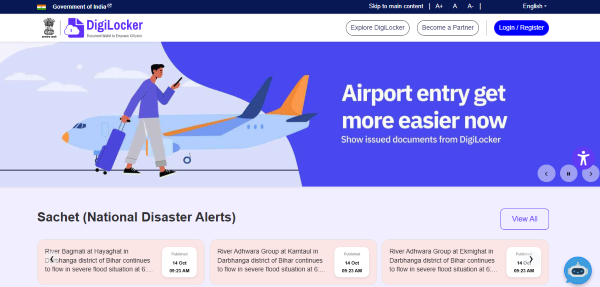
Your PUC will be successfully uploaded to your DigiLocker account when you have chosen the document format.
Follow these steps below to upload your PUC certificate to DigiLocker using the mobile app:
Your PUC is now easily accessible on DigiLocker. Through the "Uploaded Documents" section of the website or app, you can access it at any time.
You can follow these steps to download your PUC certificate in DigiLocker:
Here are the benefits of storing your PUC certificate in DigiLocker:
DigiLocker secures your PUC certificate in cloud storage. These are protected by strong encryption and Aadhaar-based login. Therefore, it prevents loss, theft, or physical damage of the PUC certificate, which is quite possible in paper copies. Moreover, you can recover your documents anytime online.
As per the IT Act 2000 and Rule 9A of the Information Technology Rules, 2016, documents fetched and issued through DigiLocker are recognised as legally valid and equivalent to original physical copies. This means you can present your DigiLocker PUC during traffic checks or other official procedures without concern.
Your PUC certificate is always available on your smartphone via DigiLocker’s app or website. This saves you from carrying physical papers or searching for them in emergencies—just a few taps are enough to retrieve and show your document at any time.
By storing your PUC digitally, you actively reduce paper use. DigiLocker supports the government's Digital India initiative by minimising paperwork and promoting a paperless environment, which is better for both individuals and the planet.
Failure to provide a valid PUC certificate during inspections can lead to fines. DigiLocker minimises this risk by keeping your certificate digitally accessible, so you're always prepared for document checks.
DigiLocker streamlines verification: officials can check digitally issued documents instantly. With digital authentication and e-signature integration, there’s no need for repeated manual validation, making processes quicker and easier.
Digital storage helps reduce the demand for printing and transporting paper documents, decreasing the carbon footprint and supporting environmental conservation efforts.
Keeping the PUC certificate in the DigiLocker app is a convenient and secure way to manage vehicle documents. By uploading it, users can access their emission certificate at any time through their mobile device.
This ensures compliance with traffic laws and supports India’s mission for paperless governance. Since a valid PUC certificate is mandatory for every vehicle, DigiLocker streamlines the process, making it simpler, smarter, and fully digital.