General
Life
Accessibility Options


General

General Products
Simple & Transparent! Policies that match all your insurance needs.
 Car Insurance
 Two Wheeler Insurance
 Commercial Vehicle Insurance
 Health Insurance
 Home Insurance
 Travel Insurance
 Business Insurance
Car Insurance
Two Wheeler Insurance
Commercial Vehicle Insurance
Health Insurance
Travel Insurance
Business Insurance
Car Insurance
Two Wheeler Insurance
Commercial Vehicle Insurance
Health Insurance
Travel Insurance


Scan to download
Life

Life Products
Digit Life is here! To help you save & secure your loved ones' future in the most simplified way.
 Term Life
 Savings Plan
 Retirement and Pension Plans
 Group Life Products
 Product Documents
Term Life
Savings Plan
Retirement and Pension Plans
Group Life Products
Product Documents
Term Life
Savings Plan
Retirement and Pension Plans
Group Life Products
Scan to download
Claims
Claims
We'll be there! Whenever and however you'll need us.
 Customer Support
 Motor Claims
Health Claims
Motor Claims
Health Claims
 Marine Insurance
 Grievance Redressal
Customer Support
Motor Claims
Health Claims
Marine Insurance
Grievance Redressal
Grievance Redressal
Customer Support
Motor Claims
Health Claims
Marine Insurance
Grievance Redressal
Scan to download
 General
 Life
General
Life
Life
General
Life
Renewals
Resources
Resources
All the more reasons to feel the Digit simplicity in your life!
Exclusive Features
 Transparency Report
Others
Exclusive Features
Transparency Report
Transparency Report
Others
Exclusive Features
Transparency Report
Scan to download


Our WhatsApp number cannot be used for calls. This is a chat only number.

 Grey Scale
 Readable Text
 Reset
Reset


With the growing adoption of digital traffic enforcement systems, traffic challans are now issued electronically for a wide range of violations and are linked directly to a vehicle's registration number or a driver's licence. As a result, vehicle owners may not always receive an on-the-spot notice for every offence.
Regularly check your pending challan status online to stay informed about outstanding traffic fines, verify whether any new challans have been issued, and avoid complications that may arise from unpaid dues.

Check Traffic Challans Through the Digit App
Step 1
Open the Digit App and navigate to Free Tools > Traffic Challan Check.
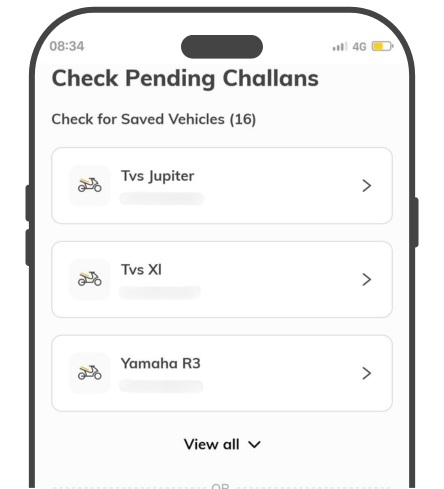
Step 2
Step 2: Select a vehicle from your saved vehicles or enter its registration number.
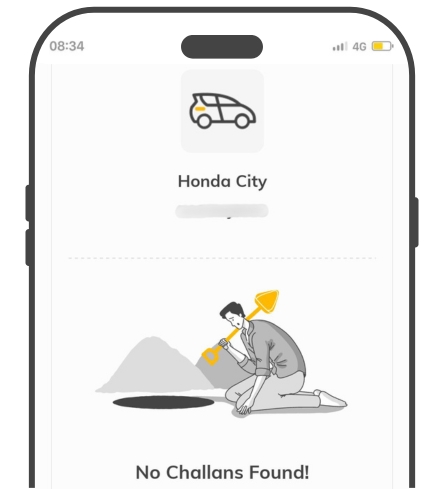
Step 3:
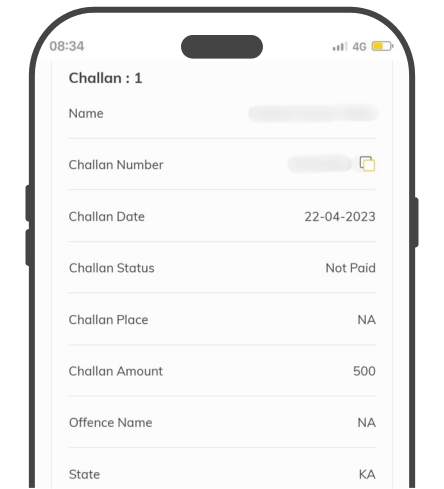
The tool will fetch all traffic challans associated with the vehicle.
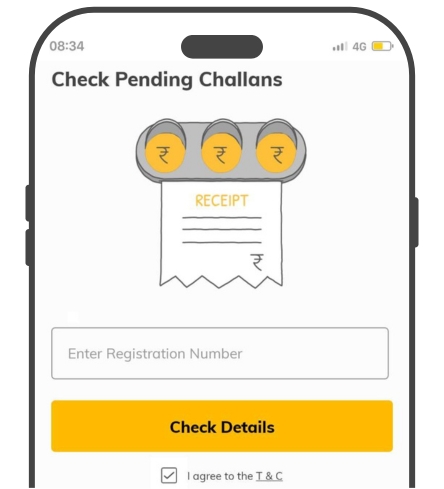
Step 4:
View important details such as the challan number, offence, date, location, status, issuing authority, and payable amount.
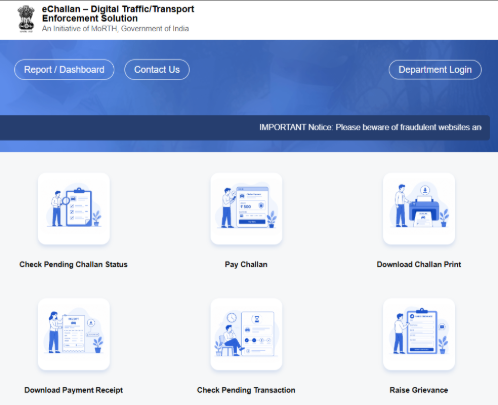
Step 1: Visit the eChallan Parivahan website and select Check Pending Challan Status.
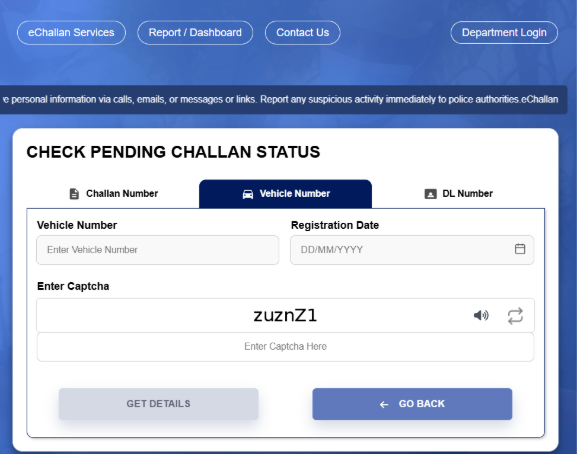
Step 2: You can search using your Challan Number/Vehicle Number along with the Registration Date, or Driving Licence (DL) Number along with the Date of Birth.
Step 3: If any challans are linked to the vehicle or driving licence, the system will display the challan number, challan date, state, challan status, penalty amount, and violation image (if available).
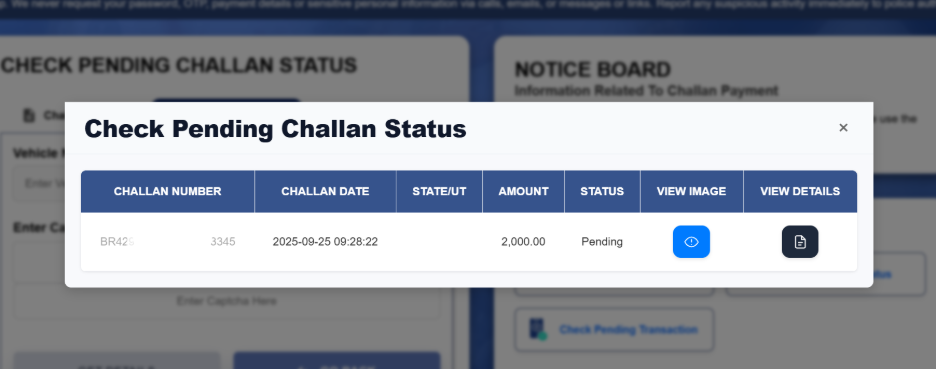
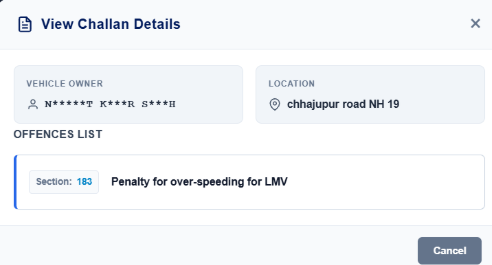
Step 4: Click on the challan details to view additional information, including the vehicle owner's details, location of the offence, and the nature of the traffic violation.
Step 1: Visit the Parivahan eChallan website and search for your challan using the Challan Number, Vehicle Number, or Driving Licence (DL) Number.
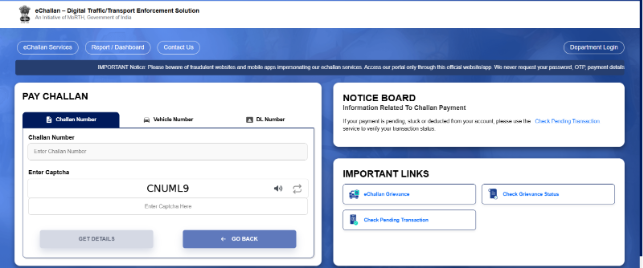
Step 2: The portal will display the traffic violation details, penalty amount, and a Pay Now option.

Step 3: You can pay a specific challan or choose to clear multiple pending challans at once, where applicable. Complete the payment using your preferred online payment method and save the receipt for future reference.
Failing to pay a traffic challan can lead to several consequences, including:
Accumulation of pending dues against your vehicle or driving licence.
Court notices or summons if the challan remains unpaid for an extended period.
Transfer of the challan to a traffic or virtual court for further action.
Issues with vehicle ownership transfer when selling the vehicle.
Delays or restrictions on RC renewal and other vehicle-related services.
Difficulties obtaining a No Objection Certificate (NOC) for the vehicle.
Possible restrictions on fitness certificate and other RTO-related approvals.
Vehicle or driving licence being flagged for enforcement action, depending on the applicable rules and jurisdiction.
Additional complications due to multiple unpaid challans linked to the same vehicle or driver.
To avoid these issues, it is advisable to regularly check your challan status and clear any pending fines promptly.
Several states have strengthened traffic enforcement and e-challan systems to improve road safety and compliance. Here are some key updates drivers should be aware of:
5-Strike Rule: In certain jurisdictions, repeated traffic violations within a specified period may lead to driving licence suspension or other enforcement action.
45-Day Payment Window: Some states have introduced timelines for clearing e-challans, after which certain RTO services may be restricted until the dues are paid.
AI-Powered Traffic Enforcement: Advanced ANPR (Automatic Number Plate Recognition) and AI-enabled cameras are being used to detect violations such as overspeeding, red-light jumping, helmet and seat belt non-compliance, and lane discipline violations.
Protect What Matters - Explore Other Insurance Options
Check Pending e Challan Status for other Cities and States