General
Life
Accessibility Options


General
General Products
Simple & Transparent! Policies that match all your insurance needs.
 Car Insurance
 Two Wheeler Insurance
 Commercial Vehicle Insurance
 Health Insurance
 Home Insurance
 Travel Insurance
 Business Insurance
Car Insurance
Two Wheeler Insurance
Commercial Vehicle Insurance
Health Insurance
Travel Insurance
Business Insurance
Car Insurance
Two Wheeler Insurance
Commercial Vehicle Insurance
Health Insurance
Travel Insurance


Scan to download
Life

Life Products
Digit Life is here! To help you save & secure your loved ones' future in the most simplified way.
 Term Life
 Savings Plan
 Retirement and Pension Plans
 Group Life Products
 Product Documents
Term Life
Savings Plan
Retirement and Pension Plans
Group Life Products
Product Documents
Term Life
Savings Plan
Retirement and Pension Plans
Group Life Products
Scan to download
Claims

Claims
We'll be there! Whenever and however you'll need us.
 Customer Support
 Motor Claims
Health Claims
Motor Claims
Health Claims
 Marine Insurance
 Grievance Redressal
Customer Support
Motor Claims
Health Claims
Marine Insurance
Grievance Redressal
Grievance Redressal
Customer Support
Motor Claims
Health Claims
Marine Insurance
Grievance Redressal
Scan to download
 General
 Life
General
Life
Life
General
Life
Renewals
Resources
Resources
All the more reasons to feel the Digit simplicity in your life!
Exclusive Features
 Transparency Report
Others
Exclusive Features
Transparency Report
Transparency Report
Others
Exclusive Features
Transparency Report
Scan to download


Our WhatsApp number cannot be used for calls. This is a chat only number.

 Grey Scale
 Readable Text
 Reset
Reset


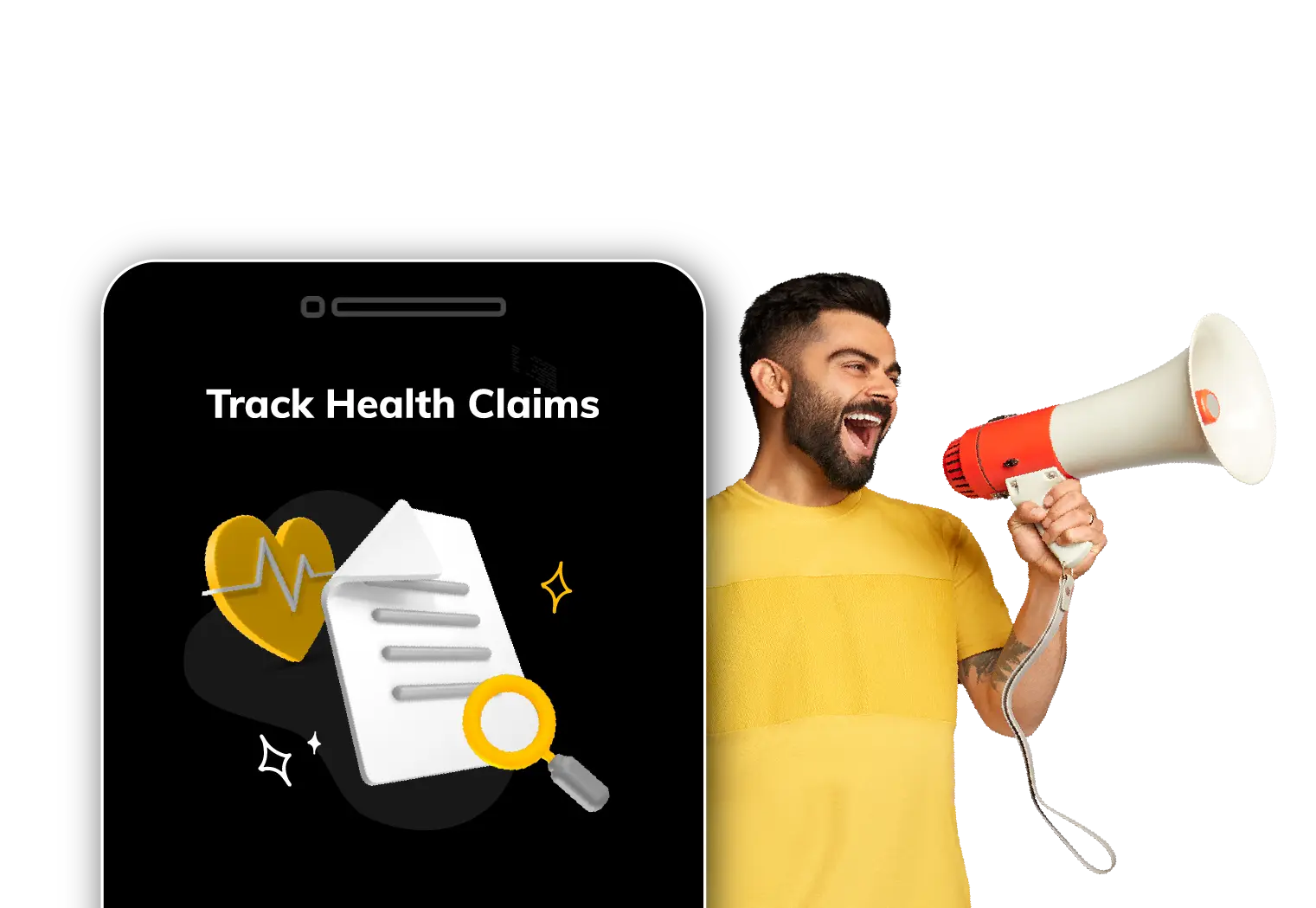
Tracking the status of your health insurance claim is now easier than ever with Digit’s app. Whether you're waiting for a cashless approval or checking the progress of a reimbursement, the Digit app puts real-time updates right at your fingertips.
With just a few taps, you can view the current status, understand any pending actions, and receive timely notifications. Here’s a step-by-step guide on how you can check health claim status on the Digit app.

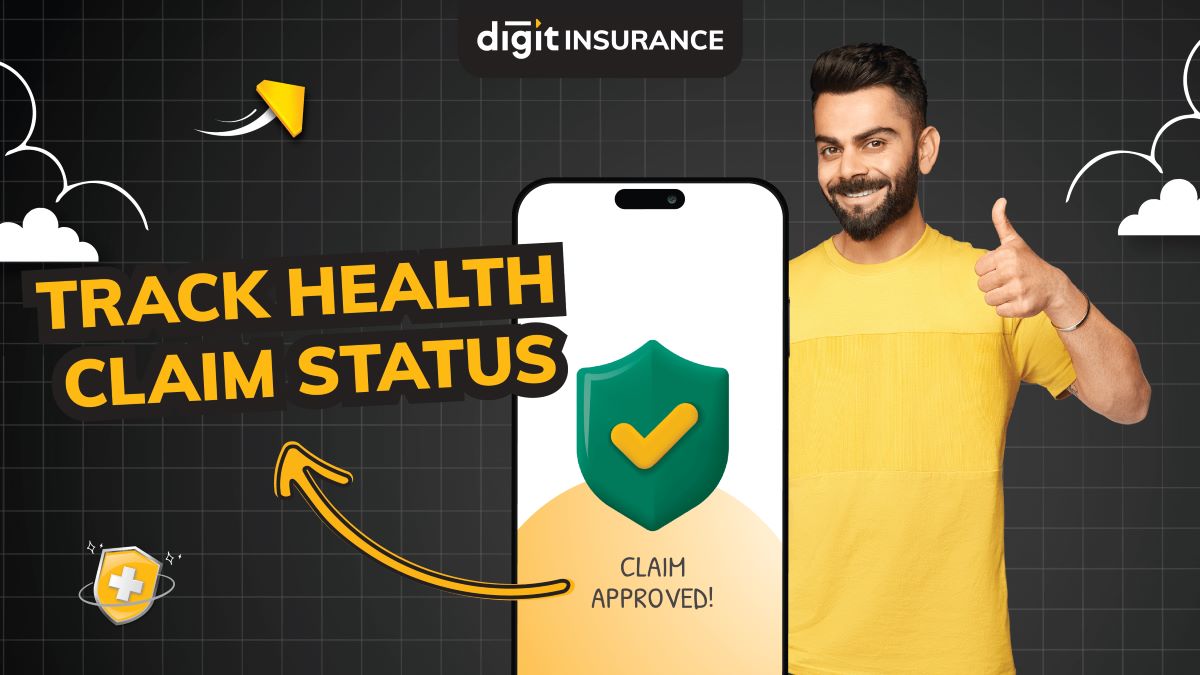
Follow the steps given below to check your health insurance claim status:
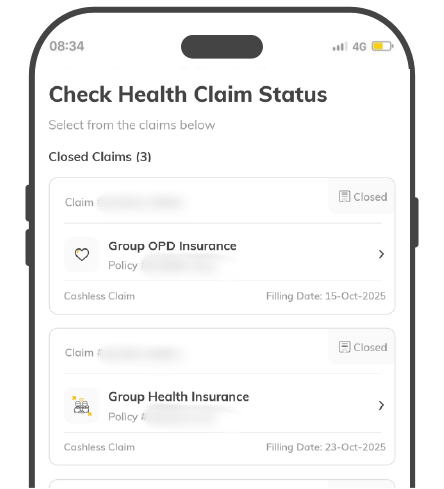
Step 1: Access the Claim Section
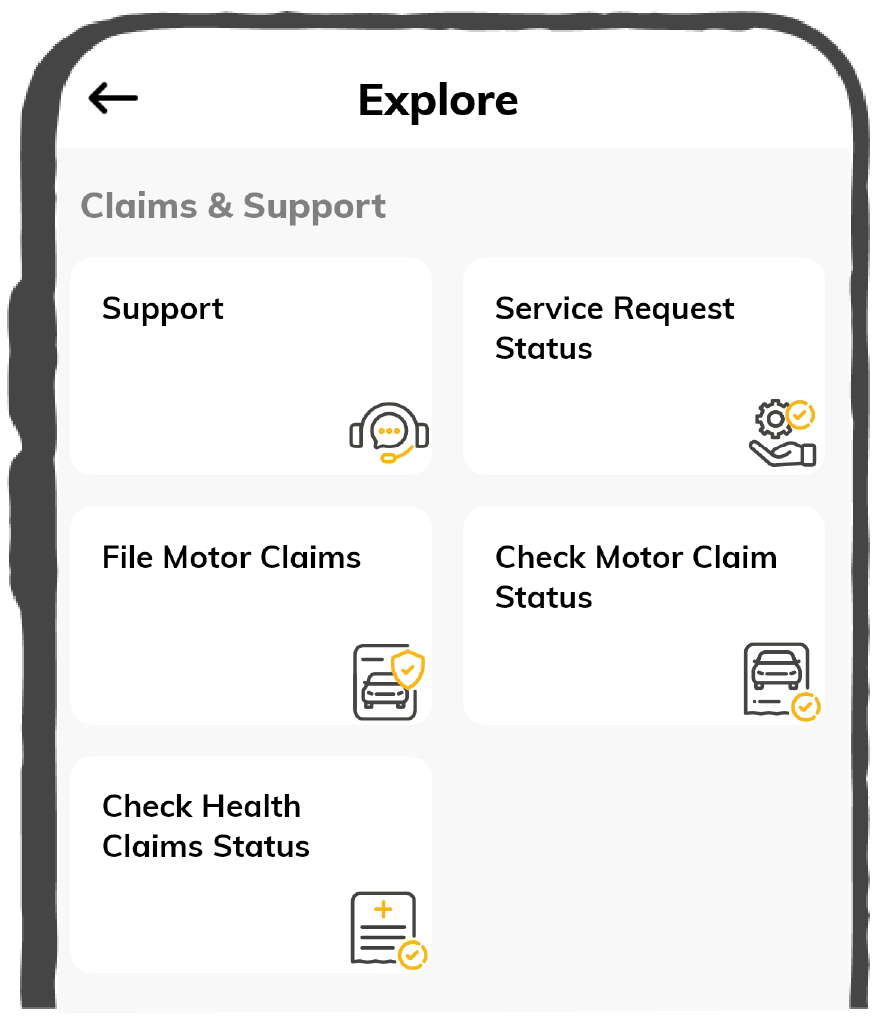
Navigate to health insurance claim status on the Digit app, where you can access all your claims associated with your active policies.
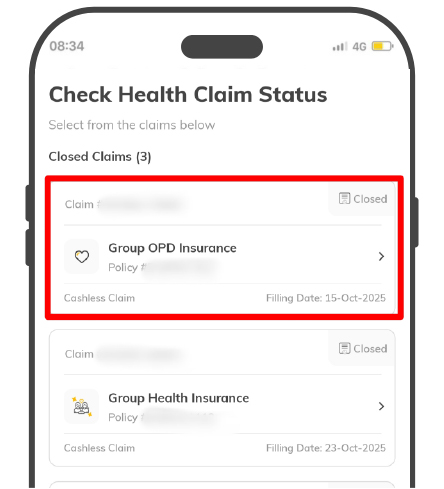
Step 2: Select the Claim
From the list of all your previously filed health claims, select the particular claim you want to track to get its detailed status.
Step 3: Get Complete Claim Status
You will receive a detailed view of the claim, including the status, timeline, claim documents, bills, hospitalisation details and payment information.
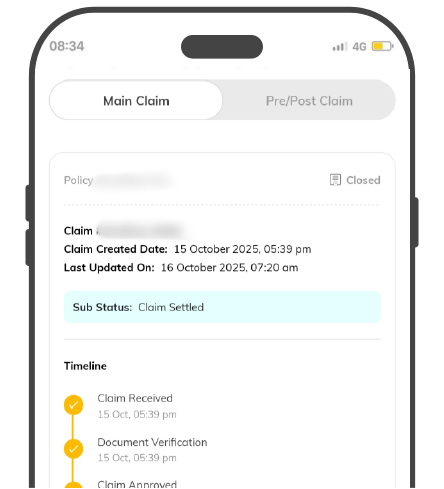
Note: If your claim status indicates “Action Pending,” please submit the required documents or additional information as requested to ensure timely processing of your claim.
In certain cases, you may not be able to view your submitted health insurance claim directly within the claims section on the Digit app. Hence, Digit provides an alternative to manually tracking your claim status by entering specific policy and claim details. Follow the steps below:
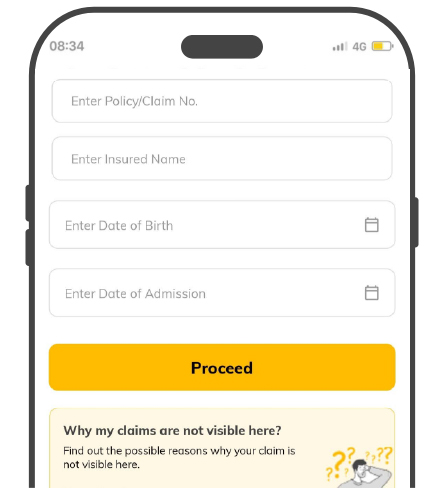
Step 1: Access the Health Claim Section
Navigate to the Health Claim Status page to track the progress of your health insurance claim by entering the required information.
Step 2: Enter Claim Details
Enter a few key details, such as your policy/claim number, the insured person's name, their date of birth, and the date of hospital admission.
Step 3: That’s it! View Your Claim Status
Once submitted, you can view the complete claim information, including claim status, timeline, hospitalisation details, payment details, and bills.
You can easily track the status of your health insurance claims directly on the Digit app. The app provides real-time updates on various claim types, ensuring complete transparency from submission to settlement. You can check the progress of:
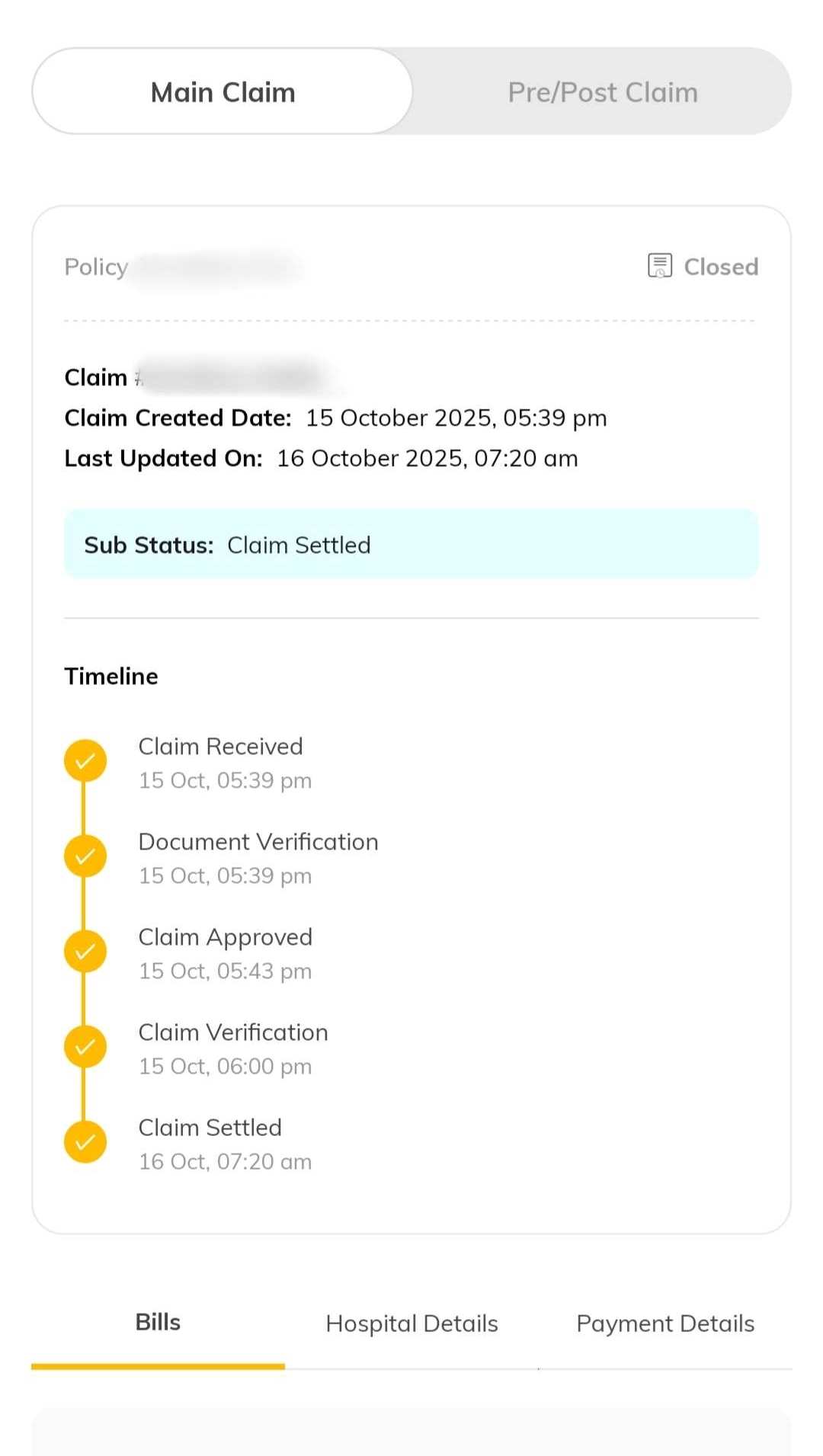
The Claim Status section provides a comprehensive summary of your health insurance claim. It allows you to view key details, including approval timeline, any pending actions or documents, payment updates, and hospitalisation details. Here are the details you can access:
Sometimes, a health insurance claim may not appear on the Digit app or may face a delay in processing. This might be due to:
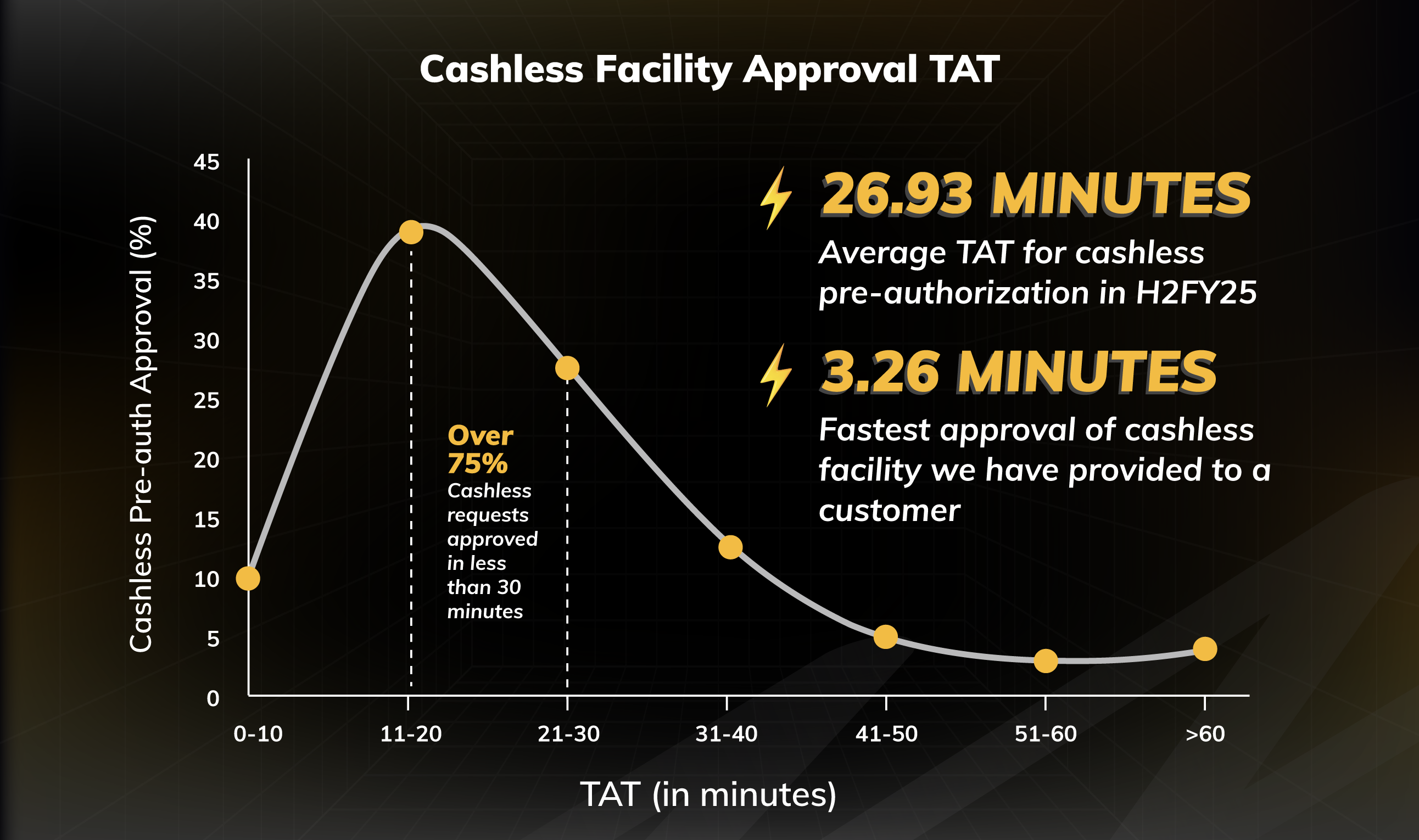
75% of Cashless Health Claims Approved Within 30 Minutes at Digit
In the second half of FY 2024-25, the average time taken by Digit for pre-authorisation of cashless health claims was just 26.93 minutes. Even 75% of requests were approved within 30 minutes, making the process almost instant.
A small percentage (around 3.3%) took longer than an hour, mainly because hospitals or customers require additional details.
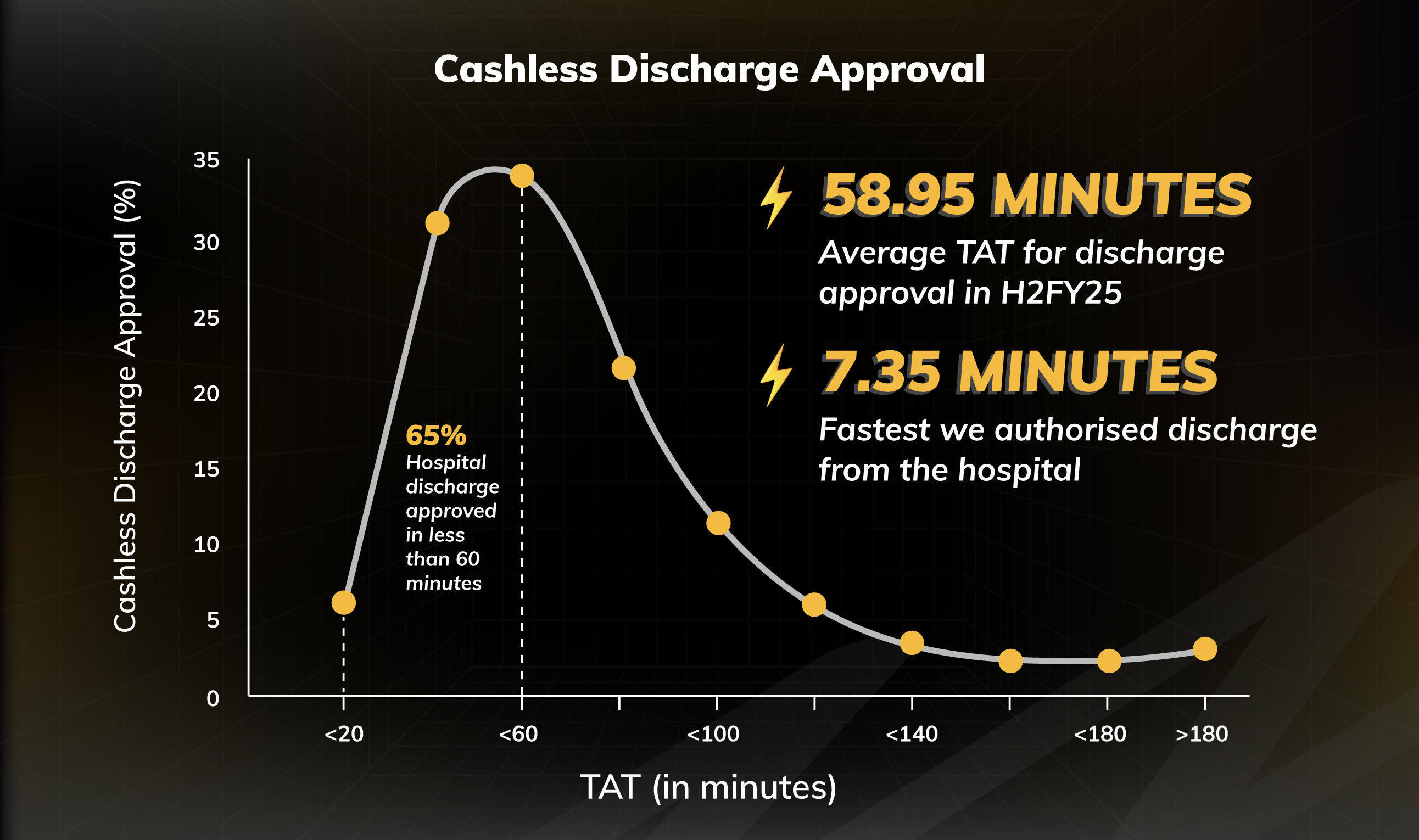
65% of Cashless Discharge Approvals Completed Within 60 Minutes
In the second half of FY 2024-25, Digit kept hospital discharge stress-free with quick approvals. The average time for cashless discharge approval was 58.95 minutes, and 65% of requests were cleared within an hour so that the patients could leave without unnecessary delays.
Only a small fraction (around 1.3%) took more than three hours, usually because extra details or clarifications were needed.
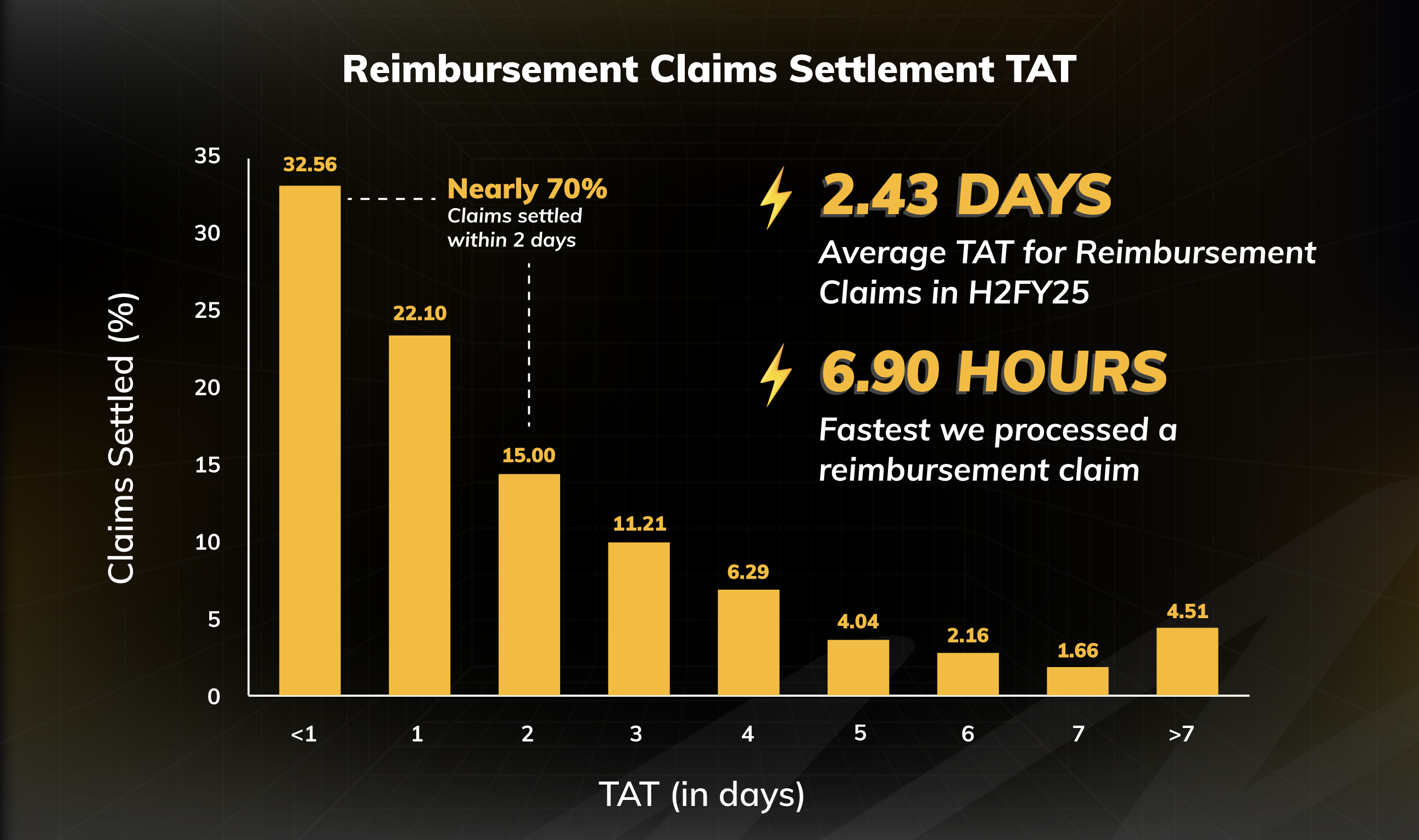
Nearly 70% of Reimbursement Claims Settled Within 2 Days
Not all hospitals offer cashless facilities, and that’s where reimbursement claims help. In FY 2024-25, once documents were submitted, Digit processed reimbursement claims in an average of 2.43 days.
Additionally, approximately 70% of claims were settled within two days, giving quick financial relief to customers who paid upfront. A small portion (around 4.5%) took more than a week, usually because of missing paperwork or additional clarifications.
Tracking your health claim status on the Digit App is simple, easy and quick. With real-time updates, clear timelines, and easy access to documents, you can stay informed at every step.
Whether your claim is under review, approved, or settled, the app ensures complete visibility, so you can focus on your recovery while Digit takes care of the rest.
Please try one more time!