Digit App

Accessibility Options

arrow
Grey Scale
Readable Text
Reset
hamburger
×
Digit Insurance Logo
Powered By Digit
general-insurance

FAQs about Digit's Motor Insurance (Car / Bike / Commercial Vehicle)

Please note: The policy related information in these FAQs is for general guidance only. For complete and accurate details on your coverage, benefits, and terms, please refer to your policy document. In case of any difference, the policy document will prevail.

What documents are required to buy a vehicle insurance policy?

up-arrow

You’ll need your vehicle’s Registration Certificate (RC), a valid photo ID, and previous insurance details. KYC must also be completed after the payment is made. Additional documents may be required for policies that are either expired or brand-new.

You’ll need your vehicle’s Registration Certificate (RC), a valid photo ID, and previous insurance details. KYC must also be completed after the payment is made. Additional documents may be required for policies that are either expired or brand-new.

How do I renew my Digit vehicle insurance policy?

up-arrow

You can renew your policy quickly and easily here. You can choose between comprehensive, third-party, or own damage coverage. The app also lets you customise your Insured Declared Value (IDV) and add any add-on covers. Once you’ve reviewed all the details, you can complete the renewal securely through the app—no paperwork is required.

You can renew your policy quickly and easily here. You can choose between comprehensive, third-party, or own damage coverage. The app also lets you customise your Insured Declared Value (IDV) and add any add-on covers. Once you’ve reviewed all the details, you can complete the renewal securely through the app—no paperwork is required.

What is the process to renew an expired vehicle policy?

up-arrow

If your vehicle insurance policy has expired, you can renew it here. Simply choose your preferred type of coverage and any add-ons you’d like to include. Once you confirm the details and make the payment, your policy will be renewed instantly. All updated policy details will be available within the app for easy access.

If your vehicle insurance policy has expired, you can renew it here. Simply choose your preferred type of coverage and any add-ons you’d like to include. Once you confirm the details and make the payment, your policy will be renewed instantly. All updated policy details will be available within the app for easy access.

How do I check if my vehicle policy is active?

up-arrow

If you're insured with Digit, you can log in to the Digit app using your registered mobile number or email ID to view your policy status, including details like start and expiry dates, owner and vehicle information, and any add-on covers. You’ll also receive renewal reminders if your policy is nearing expiry. If your insurance is with another provider, you can visit the VAHAN portal and generate a report card using your vehicle registration number. This will show your insurance status, including the expiry date.

If you're insured with Digit, you can log in to the Digit app using your registered mobile number or email ID to view your policy status, including details like start and expiry dates, owner and vehicle information, and any add-on covers. You’ll also receive renewal reminders if your policy is nearing expiry.

If your insurance is with another provider, you can visit the VAHAN portal and generate a report card using your vehicle registration number. This will show your insurance status, including the expiry date.

Can I renew my vehicle policy without an inspection?

up-arrow

You can renew your policy without a physical inspection in most cases. However, if you're switching from a third-party to a comprehensive policy, an inspection may be required. You’ll be notified during the renewal process if this applies.

You can renew your policy without a physical inspection in most cases. However, if you're switching from a third-party to a comprehensive policy, an inspection may be required. You’ll be notified during the renewal process if this applies.

Can I renew my vehicle policy using a different mobile number?

up-arrow

Yes, you can renew your vehicle insurance using a different mobile number. If your vehicle is insured with another insurer (not Digit), you can update your contact details during the renewal process and link the new number to your policy. However, if your vehicle is insured with Digit, you must first endorse (update) your contact details before proceeding with the renewal.

Yes, you can renew your vehicle insurance using a different mobile number. If your vehicle is insured with another insurer (not Digit), you can update your contact details during the renewal process and link the new number to your policy. However, if your vehicle is insured with Digit, you must first endorse (update) your contact details before proceeding with the renewal.

How do I renew my expired vehicle insurance policy?

up-arrow

You can renew your expired policy directly through the Digit app. It’s a one-step procedure if your vehicles are already linked to the Digit app. You can renew it easily, even if your vehicle was previously insured with another insurer.

You can renew your expired policy directly through the Digit app. It’s a one-step procedure if your vehicles are already linked to the Digit app. You can renew it easily, even if your vehicle was previously insured with another insurer.

What documents are required for vehicle policy renewal with Digit?

up-arrow

In most cases, no documents are needed if your previous policy is still valid or has only recently expired, as the Digit app auto-fills your details. However, if the policy has lapsed for an extended period, Digit may request recent photographs of your vehicle for verification.

In most cases, no documents are needed if your previous policy is still valid or has only recently expired, as the Digit app auto-fills your details. However, if the policy has lapsed for an extended period, Digit may request recent photographs of your vehicle for verification.

Can I renew my vehicle policy using the Digit app?

up-arrow

Yes, you can renew your vehicle insurance policy easily using the Digit app. Choose your preferred plan, add-ons, customise IDV and then confirm the details. Complete the payment and KYC verification, and your renewed policy will now be available on the app.

Yes, you can renew your vehicle insurance policy easily using the Digit app. Choose your preferred plan, add-ons, customise IDV and then confirm the details. Complete the payment and KYC verification, and your renewed policy will now be available on the app.

How do I get a renewal premium quote for my vehicle?

up-arrow

You can get a renewal premium quote instantly through Digit. Enter your vehicle details, and the app will show the renewal premium based on your selected coverage and add-ons. You can adjust the IDV and add-ons to see how they affect your quote before proceeding.

You can get a renewal premium quote instantly through Digit. Enter your vehicle details, and the app will show the renewal premium based on your selected coverage and add-ons. You can adjust the IDV and add-ons to see how they affect your quote before proceeding.

Can I renew my vehicle policy with a different insurer?

up-arrow

Yes, you’re free to switch insurers when renewing your vehicle policy. If you’re moving to Digit from another insurer, make sure your vehicle details are accurate and your previous policy is available for reference. Once completed, your new policy will be sent via email and visible in the Digit app.

Yes, you’re free to switch insurers when renewing your vehicle policy. If you’re moving to Digit from another insurer, make sure your vehicle details are accurate and your previous policy is available for reference. Once completed, your new policy will be sent via email and visible in the Digit app.

What is the process to renew a lapsed vehicle policy?

up-arrow

If your vehicle policy has lapsed, you can still renew it through Digit. You may be asked to upload recent photos of your vehicle or provide additional details. Once reviewed and approved, your new policy will be issued and sent to your email and WhatsApp.

If your vehicle policy has lapsed, you can still renew it through Digit. You may be asked to upload recent photos of your vehicle or provide additional details. Once reviewed and approved, your new policy will be issued and sent to your email and WhatsApp.

Can I renew my vehicle policy without uploading documents?

up-arrow

Yes, in most cases, you won’t need to upload any documents. The Digit app uses your existing policy and vehicle details to process the renewal. If your policy has expired for a long time or there are changes, you might be asked for documents like your RC or vehicle photos.

Yes, in most cases, you won’t need to upload any documents. The Digit app uses your existing policy and vehicle details to process the renewal. If your policy has expired for a long time or there are changes, you might be asked for documents like your RC or vehicle photos.

How do I update my contact details before renewal?

up-arrow

You can update your contact details directly in the Digit app. Go to your policy, tap on Insured Details, and enter the new number. Once submitted, your updated policy document, proposal form, and KYC will be sent to your email and reflected in the app.

You can update your contact details directly in the Digit app. Go to your policy, tap on Insured Details, and enter the new number. Once submitted, your updated policy document, proposal form, and KYC will be sent to your email and reflected in the app.

How do I renew my vehicle policy if the vehicle is not in use?

up-arrow

Even if your vehicle isn’t currently in use, it’s recommended to keep the insurance active. You can renew the policy with Digit, this protects your vehicle against risks like theft, fire, or accidental damage, even while parked.

Even if your vehicle isn’t currently in use, it’s recommended to keep the insurance active. You can renew the policy with Digit, this protects your vehicle against risks like theft, fire, or accidental damage, even while parked.

Can I get my vehicle policy document on WhatsApp?

up-arrow

Yes, Digit can send your vehicle policy document via WhatsApp. Once your policy is issued or updated, you’ll receive a copy through WhatsApp if your number is registered. You can also download it via the Digit app.

Yes, Digit can send your vehicle policy document via WhatsApp. Once your policy is issued or updated, you’ll receive a copy through WhatsApp if your number is registered. You can also download it via the Digit app.

What is covered under Digit’s comprehensive car insurance policy?

up-arrow

Digit’s comprehensive car insurance covers damages due to accidents, theft, fire, and natural disasters. It also includes third-party liability and own damage. You can enhance your coverage with add-ons like zero depreciation, engine protection, roadside assistance, Pay As You Drive (PAYD), and others.

Digit’s comprehensive car insurance covers damages due to accidents, theft, fire, and natural disasters. It also includes third-party liability and own damage. You can enhance your coverage with add-ons like zero depreciation, engine protection, roadside assistance, Pay As You Drive (PAYD), and others.

What is not covered under Digit’s car insurance policy?

up-arrow

Digit’s policy does not cover regular wear and tear, mechanical or electrical breakdowns, or any damage caused while driving under the influence of alcohol or drugs, or without a valid driving license.

Digit’s policy does not cover regular wear and tear, mechanical or electrical breakdowns, or any damage caused while driving under the influence of alcohol or drugs, or without a valid driving license.

Does Digit insurance cover theft of the vehicle?

up-arrow

Yes, theft is covered under Digit’s comprehensive insurance policy. In such cases, you’ll need to file an FIR and submit the required documents to initiate the claim process.

Yes, theft is covered under Digit’s comprehensive insurance policy. In such cases, you’ll need to file an FIR and submit the required documents to initiate the claim process.

Is tyre damage covered under Digit’s vehicle insurance policy?

up-arrow

Tyre damage is not covered by default. However, you can opt for a tyre protection add-on, which covers repair or replacement costs due to tyre bursts, bulges or cuts during all other situations possible.

Tyre damage is not covered by default. However, you can opt for a tyre protection add-on, which covers repair or replacement costs due to tyre bursts, bulges or cuts during all other situations possible.

Does Digit offer coverage for electric cars?

up-arrow

Yes, Digit offers electric car insurance that covers damage or loss due to accidents, natural disasters, fire, theft, and third-party liabilities. It also includes EV-specific coverage such as battery protection, electric motor and charging station coverage, along with optional add-ons.

Yes, Digit offers electric car insurance that covers damage or loss due to accidents, natural disasters, fire, theft, and third-party liabilities. It also includes EV-specific coverage such as battery protection, electric motor and charging station coverage, along with optional add-ons.

Is rat bite damage covered under my EV insurance policy?

up-arrow

Rat bite damage is covered only if you have opted for the EV Shield add-on cover along with your base insurance policy. This add-on specifically includes protection for EV battery-related damages, which are not covered under standard policies. If the EV Shield cover is not selected, rat bite damage and battery-related issues will not be eligible for claim.

Rat bite damage is covered only if you have opted for the EV Shield add-on cover along with your base insurance policy. This add-on specifically includes protection for EV battery-related damages, which are not covered under standard policies. If the EV Shield cover is not selected, rat bite damage and battery-related issues will not be eligible for claim.

Are accessories covered under Digit bike insurance?

up-arrow

Standard comprehensive bike insurance covers only factory-fitted parts. If you’ve installed aftermarket accessories like LED lights, crash guards, or custom seats, you’ll need to purchase an accessories add-on cover to protect them. This add-on can be selected while buying or renewing your policy.

Standard comprehensive bike insurance covers only factory-fitted parts. If you’ve installed aftermarket accessories like LED lights, crash guards, or custom seats, you’ll need to purchase an accessories add-on cover to protect them. This add-on can be selected while buying or renewing your policy.

Are pillion riders covered under Digit’s bike insurance policy?

up-arrow

Pillion riders are not automatically covered under standard bike insurance. However, you can add a personal accident cover for passengers as an add-on. This provides financial protection in case of injury or death during an accident.

Pillion riders are not automatically covered under standard bike insurance. However, you can add a personal accident cover for passengers as an add-on. This provides financial protection in case of injury or death during an accident.

Is tyre or rim damage covered under Digit bike insurance?

up-arrow

Tyre and rim damage is not covered by default, but you can opt for a Tyre Protection add-on by Digit. This covers the cost of replacing damaged tyres, labour charges and any accidental loss/damage to tyres or tubes.

Tyre and rim damage is not covered by default, but you can opt for a Tyre Protection add-on by Digit. This covers the cost of replacing damaged tyres, labour charges and any accidental loss/damage to tyres or tubes.

Does Digit offer coverage for electric bikes?

up-arrow

Yes, Digit provides insurance for electric bikes similar to regular ones. Coverage includes accidents, theft, fire, and third-party liabilities. You can also opt for EV-specific add-ons like battery protection and EV roadside assistance, ensuring complete protection for your electric vehicle.

Yes, Digit provides insurance for electric bikes similar to regular ones. Coverage includes accidents, theft, fire, and third-party liabilities. You can also opt for EV-specific add-ons like battery protection and EV roadside assistance, ensuring complete protection for your electric vehicle.

How do I correct the chassis number in my policy?

up-arrow

You can correct the chassis number directly on the Digit app. If you're unable to do it through the app, you can contact customer support on 1800 258 5956 or send an email to hello@godigit.com for assistance.

You can correct the chassis number directly on the Digit app. If you're unable to do it through the app, you can contact customer support on 1800 258 5956 or send an email to hello@godigit.com for assistance.

How long does it take for endorsements to reflect on the app?

up-arrow

It usually takes up to 2 business days for any endorsements made to reflect on the Digit app. However, most requests are processed much faster, typically within 3 to 6 hours, so that you can expect updates sooner in most cases.

It usually takes up to 2 business days for any endorsements made to reflect on the Digit app. However, most requests are processed much faster, typically within 3 to 6 hours, so that you can expect updates sooner in most cases.

How do I download a copy of my vehicle policy?

up-arrow

Yes, you can easily download your vehicle’s insurance policy anytime, anywhere through the Digit app.

Yes, you can easily download your vehicle’s insurance policy anytime, anywhere through the Digit app.

How do I transfer my vehicle policy to a new owner?

up-arrow

To transfer a vehicle insurance policy to a new owner, you can initiate the request through the Digit app. You’ll need to submit the necessary documents, such as Form 29, Form 30, the vehicle registration certificate, emission test report, existing insurance papers, and passport-sized photographs, to the Directorate of Transport Office. Once the ownership transfer is verified, the insurance policy will be updated with the new owner’s details.

To transfer a vehicle insurance policy to a new owner, you can initiate the request through the Digit app. You’ll need to submit the necessary documents, such as Form 29, Form 30, the vehicle registration certificate, emission test report, existing insurance papers, and passport-sized photographs, to the Directorate of Transport Office. Once the ownership transfer is verified, the insurance policy will be updated with the new owner’s details.

How do I update the registration number in my vehicle policy?

up-arrow

If your vehicle is new and only the chassis number is linked, you can add the registration number through the Digit app. Once updated, your revised policy with the registration number will be visible on the app.

If your vehicle is new and only the chassis number is linked, you can add the registration number through the Digit app. Once updated, your revised policy with the registration number will be visible on the app.

Can I change the mobile number and email ID linked to my policy?

up-arrow

Yes, you can update your contact details on the Digit app. Once updated, your policy will be accessible on the app with the registered mobile number.

Yes, you can update your contact details on the Digit app. Once updated, your policy will be accessible on the app with the registered mobile number.

Can I change the policy start date?

up-arrow

It’s not possible to change your policy start date once the insurance policy is issued. However, if there’s a genuine error, you can email hello@godigit.com, and the team will review your request.

It’s not possible to change your policy start date once the insurance policy is issued. However, if there’s a genuine error, you can email hello@godigit.com, and the team will review your request.

How do I find a Digit cashless garage?

up-arrow

You can use the Digit app to search for garages in your desired location. The app provides a list of network garages, including multi-brand and dealer garages, based on your current location or the pin code you enter.

You can use the Digit app to search for garages in your desired location. The app provides a list of network garages, including multi-brand and dealer garages, based on your current location or the pin code you enter.

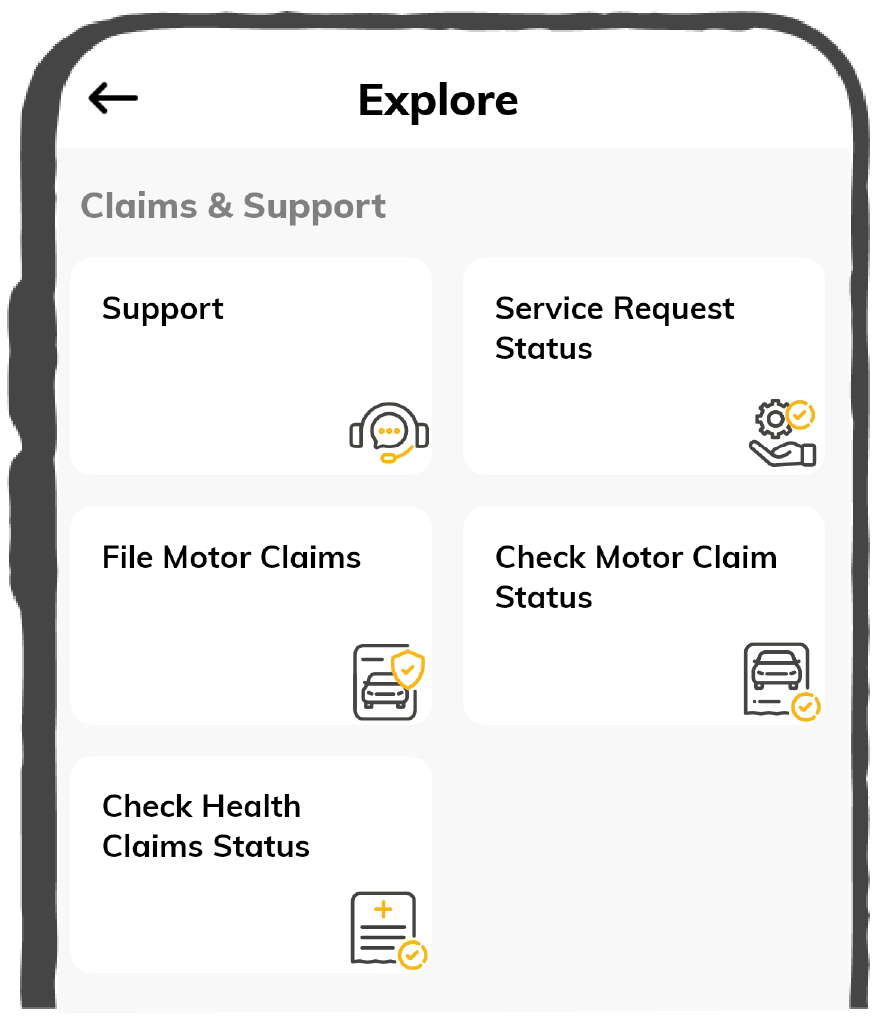
How do I register a vehicle insurance claim with Digit?

up-arrow

You can initiate your vehicle insurance claim directly on the Digit app by entering key accident details such as the date, time, location, and a brief description of the incident. You’ll also need to confirm your personal information.  Once the claim is registered, a claim number will be generated. You’ll then be required to upload your vehicle’s Registration Certificate (RC), Driving License (DL), and select a preferred garage. Shortly after, you’ll receive a self-survey link to upload photos and a video of the damaged vehicle to complete the process.

You can initiate your vehicle insurance claim directly on the Digit app by entering key accident details such as the date, time, location, and a brief description of the incident. You’ll also need to confirm your personal information.  Once the claim is registered, a claim number will be generated. You’ll then be required to upload your vehicle’s Registration Certificate (RC), Driving License (DL), and select a preferred garage. Shortly after, you’ll receive a self-survey link to upload photos and a video of the damaged vehicle to complete the process.

What is FNOL, and how do I initiate it for my vehicle?

up-arrow

FNOL stands for First Notification of Loss. It is the initial step in reporting a vehicle insurance claim, and it can be initiated through the Digit app.

FNOL stands for First Notification of Loss. It is the initial step in reporting a vehicle insurance claim, and it can be initiated through the Digit app.

How do I upload claim documents for my vehicle insurance?

up-arrow

Once you’ve filed the claim, Digit will send you a self-survey link via SMS or email. You can use this link to upload clear photos and a short video of the vehicle damage, which helps Digit assess the claim without requiring a physical inspection. If any additional details/documents are needed, the assigned surveyor will reach out to you directly with further instructions.

Once you’ve filed the claim, Digit will send you a self-survey link via SMS or email. You can use this link to upload clear photos and a short video of the vehicle damage, which helps Digit assess the claim without requiring a physical inspection. If any additional details/documents are needed, the assigned surveyor will reach out to you directly with further instructions.

What is the role of a surveyor in vehicle insurance claims?

up-arrow

A surveyor is appointed by Digit to inspect your vehicle after a claim is filed. Their role is to assess the damage, verify the incident, and determine the validity and amount of the claim payout. The surveyor ensures that the claim is processed fairly as per your policy terms.

A surveyor is appointed by Digit to inspect your vehicle after a claim is filed. Their role is to assess the damage, verify the incident, and determine the validity and amount of the claim payout. The surveyor ensures that the claim is processed fairly as per your policy terms.

How do I follow up with the surveyor assigned to my claim?

up-arrow

You can directly contact the surveyor; the details will be available on the Digit app. All updates related to your claim, including surveyor assignment and progress, will also be reflected in the app for your reference.

You can directly contact the surveyor; the details will be available on the Digit app. All updates related to your claim, including surveyor assignment and progress, will also be reflected in the app for your reference.

What is the process for a total loss claim?

up-arrow

In case of total loss, where the vehicle is damaged beyond repair, you’ll need to file a claim through the Digit app. The surveyor will inspect the vehicle and confirm if it is a total loss. Once the claim is approved, Digit will reimburse the insured value after applicable deductions.

In case of total loss, where the vehicle is damaged beyond repair, you’ll need to file a claim through the Digit app. The surveyor will inspect the vehicle and confirm if it is a total loss. Once the claim is approved, Digit will reimburse the insured value after applicable deductions.

What is the process for claim approval after a survey?

up-arrow

Once the surveyor inspects your vehicle and approves the claim, Digit will either arrange for cashless repairs at a network garage or process reimbursement if the repairs were done at a non-network garage.

Once the surveyor inspects your vehicle and approves the claim, Digit will either arrange for cashless repairs at a network garage or process reimbursement if the repairs were done at a non-network garage.

Do I need to upload FIR or police documents for a vehicle claim?

up-arrow

In most cases, uploading an FIR is not mandatory when filing a vehicle insurance claim. However, if a third-party claim is filed, such as damage to another vehicle or property, you will be required to submit an FIR or police report. If there is any specific requirement for any document, then the surveyor or the customer care team will contact you.

In most cases, uploading an FIR is not mandatory when filing a vehicle insurance claim. However, if a third-party claim is filed, such as damage to another vehicle or property, you will be required to submit an FIR or police report. If there is any specific requirement for any document, then the surveyor or the customer care team will contact you.

How do I request roadside assistance for my vehicle?

up-arrow

You can request roadside assistance through the Digit app based on your vehicle’s issue and location. Alternatively, you can call Digit’s support team at 1800-258-5956 for immediate help.

You can request roadside assistance through the Digit app based on your vehicle’s issue and location. Alternatively, you can call Digit’s support team at 1800-258-5956 for immediate help.

What services are included in Digit’s RSA for vehicles?

up-arrow

Digit’s RSA services include flat battery, flat tyre, spare keys, minor repairs, towing facility, fuel assistance, medical coordination and urgent message relay to relatives. The exact services available may vary depending on your policy.

Digit’s RSA services include flat battery, flat tyre, spare keys, minor repairs, towing facility, fuel assistance, medical coordination and urgent message relay to relatives. The exact services available may vary depending on your policy.

Is towing covered under RSA for vehicle insurance?

up-arrow

Yes, towing is covered under Digit’s roadside assistance in severe cases where your vehicle can’t be repaired on the spot and must be sent out to a workshop or garage for servicing. This service is included as part of your RSA benefits, subject to the terms of your policy.

Yes, towing is covered under Digit’s roadside assistance in severe cases where your vehicle can’t be repaired on the spot and must be sent out to a workshop or garage for servicing. This service is included as part of your RSA benefits, subject to the terms of your policy.

How do I contact Digit support for any changes to my vehicle insurance policy?

up-arrow

Most personal details can be updated directly through the Digit app. If you're unable to make the changes yourself or need assistance with updates that require approval, you can reach out to Digit support.

Most personal details can be updated directly through the Digit app. If you're unable to make the changes yourself or need assistance with updates that require approval, you can reach out to Digit support.

Whom do I contact if my Digit policy is not reflecting on Parivahan?

up-arrow

It usually takes up to 30 days for a vehicle insurance policy to reflect on the Parivahan portal. If your policy is still not visible after this period, you can contact Digit’s support team for assistance. You can reach them via the toll-free number 1800-258-5956 or email your query to hello@godigit.com.

It usually takes up to 30 days for a vehicle insurance policy to reflect on the Parivahan portal. If your policy is still not visible after this period, you can contact Digit’s support team for assistance. You can reach them via the toll-free number 1800-258-5956 or email your query to hello@godigit.com.

What should I do if the renewal link for my vehicle policy is not working?

up-arrow

If the renewal link isn’t working, try renewing your policy directly through the Digit app. You can also contact Digit’s support through the app if required for help with completing your renewal.

If the renewal link isn’t working, try renewing your policy directly through the Digit app. You can also contact Digit’s support through the app if required for help with completing your renewal.

What should I do if the renewal link for my vehicle policy is not working?

up-arrow

If the renewal link isn’t working, try renewing your policy directly through the Digit app. You can also contact Digit’s support through the app if required for help with completing your renewal.

If the renewal link isn’t working, try renewing your policy directly through the Digit app. You can also contact Digit’s support through the app if required for help with completing your renewal.

What is the difference between comprehensive and third-party insurance?

up-arrow

Comprehensive insurance provides coverage for your own vehicle against damage, theft, fire, natural disasters, and also includes third-party liability. Third-party insurance, on the other hand, only covers damage or injury caused to others and is legally mandatory. It does not protect your own vehicle.

Comprehensive insurance provides coverage for your own vehicle against damage, theft, fire, natural disasters, and also includes third-party liability. Third-party insurance, on the other hand, only covers damage or injury caused to others and is legally mandatory. It does not protect your own vehicle.

What is IDV, and how is it calculated for a vehicle?

up-arrow

IDV or Insured Declared Value is your vehicle’s current market value. It’s calculated by subtracting depreciation from the manufacturer’s listed price. A higher IDV means better claim value but a slightly higher premium. You can view and adjust your IDV while buying or renewing your policy.

IDV or Insured Declared Value is your vehicle’s current market value. It’s calculated by subtracting depreciation from the manufacturer’s listed price. A higher IDV means better claim value but a slightly higher premium. You can view and adjust your IDV while buying or renewing your policy.