Digit App

Accessibility Options

arrow
Grey Scale
Readable Text
Reset
hamburger
×
Digit General Insurance Logo
Powered By Digit
general-insurance
Renew Car Insurance

9000+ Cashless Garages

1.2 Cr+ Policies Sold

car

Check Price

arrow
×
car

Car insurance Online, Up to 90% Discount

This is a {{carWheelerCtrl.localStorageValues.product}} reg no, please enter a private car reg no.

It's a Brand New Car

I Know Registration Number

How to Install WiFi in a Car?

Why Install WiFi in Your Car?

Installing Wi-Fi in your car can significantly enhance your driving experience. It enables you and your passengers to stay connected while you enjoy long trips or run errands. Here are some reasons why it's worth considering:


  • Constant Connectivity: With WiFi in your car, you can always stay connected to the internet. This allows seamless communication, downloading, accessing essential apps, or replying to emails immediately.
  • Entertainment on the Go: WiFi makes streaming favourite movies, shows, or music easier. Passengers can enjoy gaming, browsing, or unwinding with videos while travelling. It ensures a delightful travel experience for everyone in the vehicle.
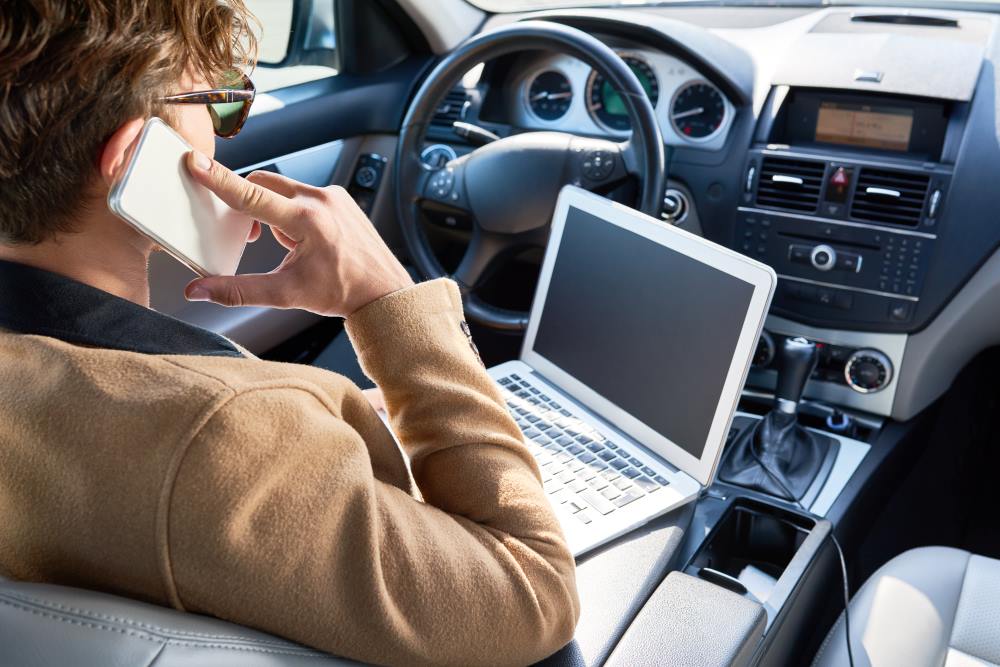
  • Work Flexibility: Travelling doesn't have to mean losing productivity. WiFi allows you to attend video calls, check emails, or work on documents while commuting. It's perfect for professionals who need to stay connected even while on the road.
  • Improve Navigation: WiFi offers numerous advantages that enhance navigation, including real-time traffic updates, weather reports, and accurate maps. This helps you avoid roadblocks and construction zones, providing alternate routes.

How to Set Up & Install WiFi in Your Car?

Setting up Wi-Fi in your car is more straightforward than one might think. Depending on what a person wants or needs, there are several ways to get their vehicle online. Here are the top methods:

Using a Mobile Hotspot Device

The easiest way to get an internet connection inside a car is to use a smartphone or tablet for a mobile hotspot, which can provide stable connectivity by activating the 4G or 5G connection. This alternative is quite convenient since most of us carry our smartphones everywhere. However, there is a potential for draining battery life and running into data caps.

Hotspot Devices

If you experience weak internet connectivity inside your car, a small router or mobile hotspot device could provide a solution. These mobile hotspot devices offer greater portability and improved connectivity compared to those found on smartphones or tablets. The battery lives in coordination with these hotspot devices. However, you would have to purchase a dedicated plan for the service.

Inbuilt Car WiFi

Many modern cars have built-in integrated systems. This makes it easy to establish an internet connection inside a car. These routers have very strong signals and fast speeds. They can also be used to send diagnostic reports and upload over-the-air updates for the car.

Wireless Routers

Offering a more robust option than some of the above types, wireless routers for cars cover longer ranges at faster speeds—a viable option for downloading and uploading large files or live streaming. Like mobile hotspots, routers require their own data plan or subscription, which is generally more expensive.

OBD-II Devices

While OBD (On-Board Diagnostics) ports are used for vehicle diagnostics, they can also be connected to enhance Wi-Fi connectivity and provide high-speed internet. These devices are more mobile than built-in routers but are less portable than smartphones or tablets. OBD-II devices are generally much more expensive than mobile hotspots.

Things to Consider When Installing WiFi in Your Car

When adding Wi-Fi to your vehicle, consider various factors for the best experience. Those include:

Connectivity Options

When choosing a Wi-Fi solution, it is worth checking for a stable one. Select a Wi-Fi solution with a proven reputation for reliability. While hotspots and routers depend on cellular networks, high coverage is crucial.

Installation Cost

This is a matter of personal choice. Portable mobile hotspot devices or smartphone hotspots would likely be the most affordable option. On the other hand, installing built-in permanent routers at a higher cost should be expected.

Power Consumption

WiFi devices can consume significant battery power in cars, so be sure to opt for solutions designed with minimal energy consumption in mind. Some mobile hotspots can be powered via your car's USB port.

Ensuring Data Plans

Ensure you pick a data plan that fits your usage. Some hotspot devices and car systems need additional data plans. Assess your data needs based on how often you use the Wi-Fi in the car.

Network Compatibility

Ensure the Wi-Fi device or system you purchase is compatible with the network bands available in the areas you travel to for coverage. There are instances where some devices can operate on particular networks.

Maintenance Tips for WiFi in Cars

Regular maintenance will keep your car's Wi-Fi running smoothly. Here are some tips for long-lasting, efficient performance:

Regular Software Updates

Always update the mobile hotspot or in-car Wi-Fi router regularly. It provides better connections and has enhanced security features, eventually increasing long-term performance.

Check Signal Strength

Always check signal strength when you notice reduced speed or connectivity. It could mean a network change or optimal placement of the mobile hotspot to ensure complete coverage and a good connection.

Keep Devices Clean

Over time, dust and dirt accumulate on Wi-Fi devices, causing them to malfunction. Regular cleaning can prevent the build-up that can affect performance. Also, ensure that the car charger ports are kept free from debris.

Monitor Data Usage

Knowing how much data you've been using helps ensure you don't exceed the limits of your plan. Most mobile hotspots allow you to monitor your usage through an app. Monitoring allows you to control the data you use.

Lock Your Network

Change the Wi-Fi password and encrypt it so that it is not accessible to others, allowing them to log onto your network. This establishes a robust connection that cannot be easily compromised by unauthorised data theft.

Is It Worth Installing WiFi in a Car?

FAQs about Installing WiFi in a Car

What are the different ways to get WiFi in a car?

up-arrow

A car can have WiFi capabilities with a mobile device, a phone with a hotspot facility enabled, or built-in systems with WiFi functionality.

A car can have WiFi capabilities with a mobile device, a phone with a hotspot facility enabled, or built-in systems with WiFi functionality.

Can I use my smartphone as a mobile hotspot for in-car WiFi?

up-arrow

Yes, you can use it. When you use your cell phone to share a data connection, you can enjoy seamless Wifi in the car.

Yes, you can use it. When you use your cell phone to share a data connection, you can enjoy seamless Wifi in the car.

How much does it cost to install WiFi in a car?

up-arrow

The installation costs may vary, depending on the range. Mobile hotspot devices begin at around ₹400 - ₹3000. Built-in systems or permanent routers can cost hundreds, including installation fees.

The installation costs may vary, depending on the range. Mobile hotspot devices begin at around ₹400 - ₹3000. Built-in systems or permanent routers can cost hundreds, including installation fees.

What is the most reliable way to set up WiFi in a vehicle?

up-arrow

The best option is to use a dedicated mobile WiFi router for the car or a WiFi system on board, if your vehicle has one. Both provide reliable connections.

The best option is to use a dedicated mobile WiFi router for the car or a WiFi system on board, if your vehicle has one. Both provide reliable connections.

Are OBD-II WiFi devices a good option for car internet?

up-arrow

WiFi OBD II is built for diagnostics. However, they can also provide internet access in your car.

WiFi OBD II is built for diagnostics. However, they can also provide internet access in your car.

How many devices can be connected with in-car WiFi at one time?

up-arrow

This depends on the device. Most hotspots can support up to 10 devices, while the more expensive mobile routers can handle more.

This depends on the device. Most hotspots can support up to 10 devices, while the more expensive mobile routers can handle more.

Can a permanent WiFi router be installed in a car?

up-arrow

Yes, installing a permanent WiFi router in your car can provide a stable and long-term internet solution.

Yes, installing a permanent WiFi router in your car can provide a stable and long-term internet solution.

How secure is in-car WiFi for online activities?

up-arrow

In-car WiFi can be secure if WPA2 encryption and a strong password are used. It is essential to monitor connected devices to prevent potential threats.

In-car WiFi can be secure if WPA2 encryption and a strong password are used. It is essential to monitor connected devices to prevent potential threats.

Do modern cars come with built-in WiFi systems?

up-arrow

Many newer cars have built-in WiFi, often requiring a subscription to a mobile data plan. Check your vehicle's features to see if it includes this option.

Many newer cars have built-in WiFi, often requiring a subscription to a mobile data plan. Check your vehicle's features to see if it includes this option.

What factors should I consider when choosing a WiFi solution for my car?

up-arrow

Consider connectivity options, cost, power consumption, data plans, and specific usage needs when selecting a WiFi solution for your car.

Consider connectivity options, cost, power consumption, data plans, and specific usage needs when selecting a WiFi solution for your car.

How do I activate WiFi in my car?

up-arrow

To activate WiFi in your car, either turn on the built-in WiFi feature through your car's settings, connect a mobile hotspot device, or enable the hotspot on your smartphone.

To activate WiFi in your car, either turn on the built-in WiFi feature through your car's settings, connect a mobile hotspot device, or enable the hotspot on your smartphone.

Can I use in-car WiFi while driving?

up-arrow

Yes, in-car WiFi can be used while driving. However, ensuring that your devices don't distract the driver or interfere with safe driving practices is essential.

Yes, in-car WiFi can be used while driving. However, ensuring that your devices don't distract the driver or interfere with safe driving practices is essential.

What is the range of in-car WiFi?

up-arrow

The range of in-car WiFi depends on the type of device. A mobile hotspot typically has a range of 30-50 feet, allowing passengers in the car to connect to the internet.

The range of in-car WiFi depends on the type of device. A mobile hotspot typically has a range of 30-50 feet, allowing passengers in the car to connect to the internet.

Will using WiFi in a car affect my phone's battery?

up-arrow

Yes, using WiFi in your car can drain your phone's battery, especially if you use it as a hotspot. Consider keeping your phone plugged in or using a separate device to provide WiFi.

Yes, using WiFi in your car can drain your phone's battery, especially if you use it as a hotspot. Consider keeping your phone plugged in or using a separate device to provide WiFi.

Can I install WiFi in an older car?

up-arrow

Yes, you can install WiFi in older cars using mobile hotspot devices, dedicated routers, or aftermarket solutions to provide internet connectivity.

Yes, you can install WiFi in older cars using mobile hotspot devices, dedicated routers, or aftermarket solutions to provide internet connectivity.