General
Life
Accessibility Options


General

General Products
Simple & Transparent! Policies that match all your insurance needs.
 Car Insurance
 Two Wheeler Insurance
 Commercial Vehicle Insurance
 Health Insurance
 Home Insurance
 Travel Insurance
 Business Insurance
Car Insurance
Two Wheeler Insurance
Commercial Vehicle Insurance
Health Insurance
Travel Insurance
Business Insurance
Car Insurance
Two Wheeler Insurance
Commercial Vehicle Insurance
Health Insurance
Travel Insurance


Scan to download

Life

Life Products
Digit Life is here! To help you save & secure your loved ones' future in the most simplified way.
 Term Life
 Savings Plan
 Retirement and Pension Plans
 Group Life Products
 Product Documents
Term Life
Savings Plan
Retirement and Pension Plans
Group Life Products
Product Documents
Term Life
Savings Plan
Retirement and Pension Plans
Group Life Products
Scan to download

Claims

Claims
We'll be there! Whenever and however you'll need us.
 Customer Support
 Motor Claims
Health Claims
Motor Claims
Health Claims
 Marine Insurance
 Grievance Redressal
Customer Support
Motor Claims
Health Claims
Marine Insurance
Grievance Redressal
Grievance Redressal
Customer Support
Motor Claims
Health Claims
Marine Insurance
Grievance Redressal
Scan to download
 General
 Life
General
Life
Life
General
Life
Renewals
Resources

Resources
All the more reasons to feel the Digit simplicity in your life!
Exclusive Features
 Transparency Report
Others
Exclusive Features
Transparency Report
Transparency Report
Others
Exclusive Features
Transparency Report
Scan to download


Our WhatsApp number cannot be used for calls. This is a chat only number.

 Grey Scale
 Readable Text
 Reset
Reset




8 Crore+ Customers

Affordable Premium


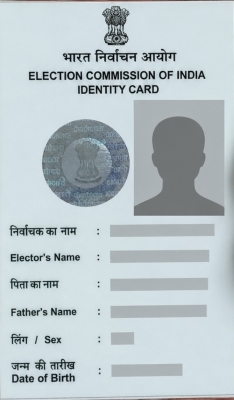
To apply for a voter ID card in Maharashtra, register online at the Citizen Service Portal using Form 6, or submit Form 6 offline at your nearest Electoral Registration Office. You must be an Indian citizen, at least 18 years old, and ordinarily resident in the constituency where you want to register. This guide covers the full application process, required documents, Maharashtra's ongoing Special Intensive Revision (SIR) 2026, status tracking, and e-EPIC download.
What actually entitles you to vote is having your name on the electoral roll. The voter ID card (EPIC) is your primary proof of identity at the polling booth, but the Election Commission also accepts alternative documents (such as Aadhaar, passport, or driving licence) if you don't have your EPIC on election day, as long as your name appears on the roll.
Keep reading to understand the eligibility parameters, the right form for your situation, and how Maharashtra's 2026 electoral roll revision may affect you.
Applicants must meet the following eligibility criteria to apply for a voter ID card in Maharashtra:
Under Section 16 of the Representation of the People Act, 1950, a person cannot register as a voter in India if they are not an Indian citizen, have been declared mentally unfit by a court, or are barred from voting due to election-related offences.
Note: Form 8A availability can vary by ECI notification cycle. Before publishing, confirm the current form options listed on voters.eci.gov.in, since consolidation of these forms has changed more than once since 2016.
Maharashtra voters can register and manage their entries through the election commision’s Citizen Service Portal, which the Chief Electoral Officer (CEO) Maharashtra site links to directly.
Step 1: Go directly to Citizen Service Portal or visit CEO Maharashtra site and select the link to the national voter services portal.
Step 2: Register or log in using your mobile number and OTP.
Step 3: From the dashboard, select "New Voter Registration (Form 6)" or the form that matches your situation from the table above.
Step 4: Enter your personal details, address, and Maharashtra assembly constituency. Upload the required documents (see below) and submit.
Step 5: Note the reference ID shown on screen or sent by SMS. Use this ID to track your application.
After submission, a Booth Level Officer (BLO) assigned to your area will visit to verify your details. Once verified, your entry is added to the Maharashtra electoral roll and your e-EPIC becomes available for download; a physical card follows by post.
If you don't have internet access, you can apply offline instead.
Visit your nearest Electoral Registration Office or Voter Facilitation Centre. You can find the help centre details for your district on the CEO Maharashtra site.
Step 1: Collect Form 6 free of cost from the office.
Step 2: Fill in the form with your name, date of birth, address, and constituency details.
Step 3: Attach self-attested copies of your supporting documents (see below).
Step 4: Submit the application to the concerned ERO office. You can also send it by post, or hand it over to your local BLO.
Step 5: Call 1950 for assistance for more information.
A Booth Level Officer (BLO) will visit to verify your details. Once your application is verified, your name is added to the electoral roll and your voter ID card is sent to your registered address by post.
Documents required depend on which form you're filing. For most first-time Voter ID applicants (Form 6), you'll need:
All documents should be submitted as self-attested copies, meaning they must be signed by you. If you are filing Form 8 for voter details correction, you may need supporting documents for the specific change, such as a marriage certificate for a name change or a recent photograph for a photo update. The same form can also be used to apply for a duplicate Voter ID card. If you have moved to new address, you will need proof of your new address when applying through Form 8A (within the same constituency) or Form 6 (for a new constituency).
Maharashtra is currently undergoing the Special Intensive Revision (SIR) 2026, a statewide voter list verification drive being conducted by the Election Commission of India. As part of this process, Booth Level Officers (BLOs) are visiting households to verify voter details and collect enumeration forms.
If you've moved to a new address, the process depends on whether you're staying within the same constituency or moving to a different one.
In both cases, keep your EPIC number handy as it speeds up verification and helps link your old and new records.
You can download e-EPIC (digital voter ID card) and keep it to your phone or computer, upload it to DigiLocker, or print and laminate it. The Electronic Electoral Photo Identity Card (e-EPIC) download is available to all registered voters via ECINET app or the election commission’s Citizen Service Portal.
Step 1: Log in to Citizen Service Portal with your mobile number and OTP.
Step 2: Select "Download e-EPIC" and enter your EPIC number or Form reference number.
Step 3: Verify the OTP sent to your registered mobile number.
Step 4: If your mobile number isn't linked to your entry, complete e-KYC. This includes a live face verification step and updating your registered contact number.
Check your application status online by visiting Citizen Service Portal (the NVSP portal has moved here). For a general walkthrough of this process across states, see our voter ID status tracking guide. For Maharashtra specifically, follow these steps:
You can also check your name directly in the electoral roll after registration on the official web portal of the Chief Electoral Officer (CEO) of Maharashtra. Visit the website and select "Find Name in Voter List."
You can search by two methods:
Keep these points in mind to avoid delays: