General
Life
Accessibility Options


General

General Products
Simple & Transparent! Policies that match all your insurance needs.
 Car Insurance
 Two Wheeler Insurance
 Commercial Vehicle Insurance
 Health Insurance
 Home Insurance
 Travel Insurance
 Business Insurance
Car Insurance
Two Wheeler Insurance
Commercial Vehicle Insurance
Health Insurance
Travel Insurance
Business Insurance
Car Insurance
Two Wheeler Insurance
Commercial Vehicle Insurance
Health Insurance
Travel Insurance



Scan to download

Life

Life Products
Digit Life is here! To help you save & secure your loved ones' future in the most simplified way.
 Term Life
 Savings Plan
 Retirement and Pension Plans
 Group Life Products
 Product Documents
Term Life
Savings Plan
Retirement and Pension Plans
Group Life Products
Product Documents
Term Life
Savings Plan
Retirement and Pension Plans
Group Life Products

Scan to download

Claims

Claims
We'll be there! Whenever and however you'll need us.
 Customer Support
 Motor Claims
Health Claims
Motor Claims
Health Claims
 Marine Insurance
 Grievance Redressal
Customer Support
Motor Claims
Health Claims
Marine Insurance
Grievance Redressal
Grievance Redressal
Customer Support
Motor Claims
Health Claims
Marine Insurance
Grievance Redressal

Scan to download
 General
 Life
General
Life
Life
General
Life
Renewals
Resources

Resources
All the more reasons to feel the Digit simplicity in your life!
Exclusive Features
 Transparency Report
Others
Exclusive Features
Transparency Report
Transparency Report
Others
Exclusive Features
Transparency Report

Scan to download


Our WhatsApp number cannot be used for calls. This is a chat only number.

 Grey Scale
 Readable Text
 Reset
Reset




8 Crore+ Customers

Affordable Premium


Vivo has emerged as a prominent player in the bustling landscape of mobile phones, particularly in 5G technology. As the demand for 5G connectivity grows in India, Vivo has continued to innovate and introduce cutting-edge smartphones catering to various price segments.
This article will discuss the 7 best Vivo 5G phones above ₹30000 and their distinct specifications to help you catch the new trend.

Table of Contents

Disclaimer: The information regarding the smartphones provided in the above table has been sourced from various sites. Please visit the official smartphone website for in-depth product-specific details.
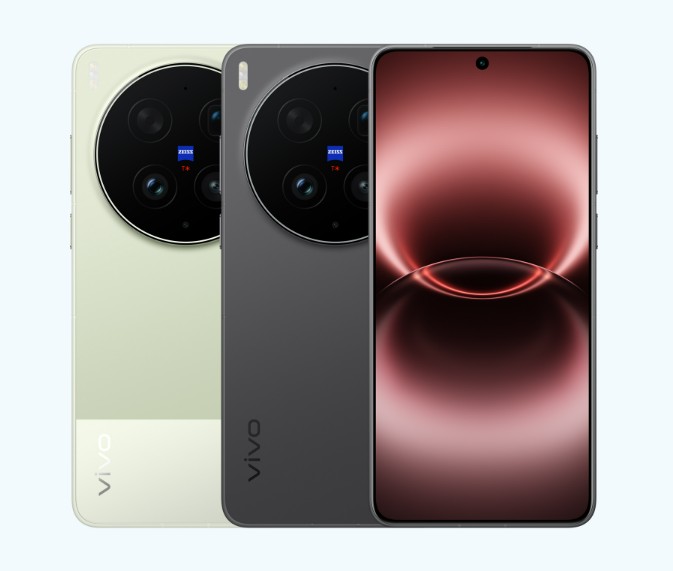
The vivo X300 Ultra is the high-end version of its flagship smartphone line and targets photographers and tech enthusiasts. This phone was co-engineered with ZEISS and boasts an outstanding triple-camera module featuring a 200 MP main sensor and a 200 MP telephoto lens.
It boasts a Snapdragon 8 Elite Gen 5 chip that delivers incredible performance and a 6.82-inch 2K LTPO AMOLED display with a 144Hz refresh rate and Dolby Vision support, delivering an outstanding, immersive experience when watching videos or browsing content.
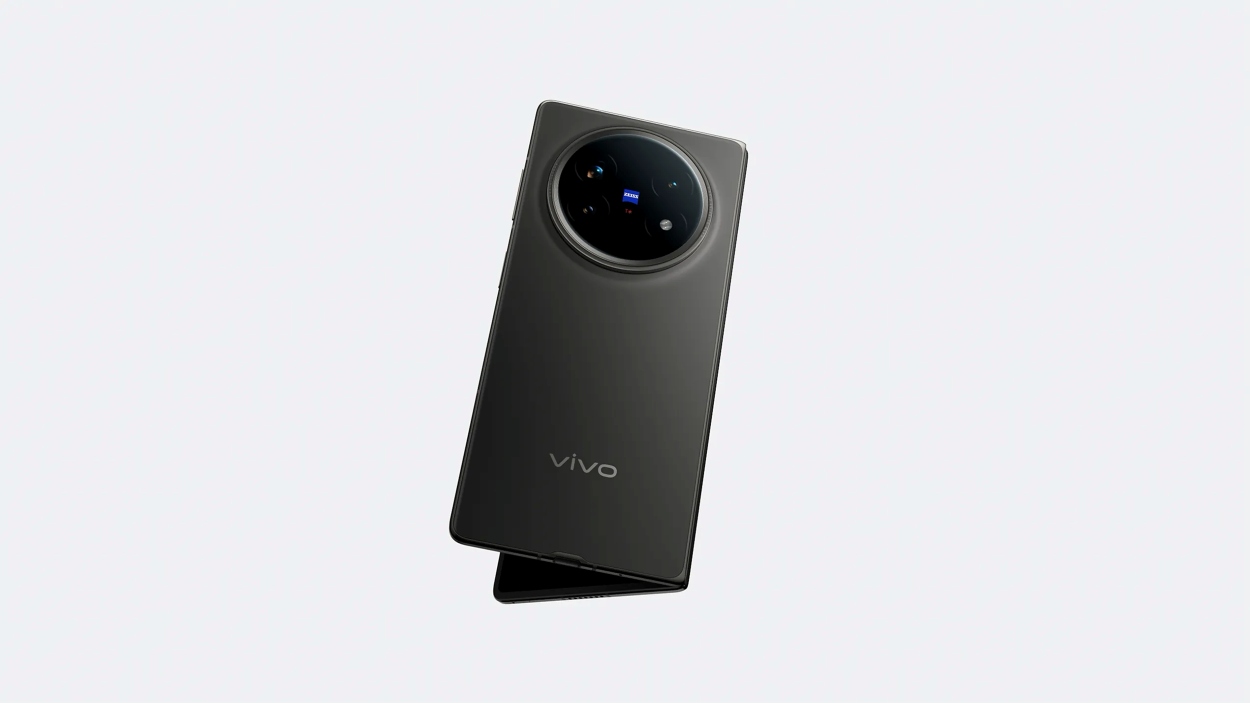
vivo X Fold5 is a flagship phone that comes with top-of-the-line productivity features, a ZEISS camera, and an exceptionally lightweight build. The device is extremely sturdy, with a durable hinge, second-generation Armour Glass, and IP58/IP59+ protection. This smartphone is powered by a Snapdragon 8 Gen 3 processor, ensuring smooth performance.
With its stunning periscope telephoto lens and 50MP camera, it delivers excellent photos and portrait shots, and its large 6,000mAh battery with 80W wired and 40W wireless charging lets you use the device throughout the day.
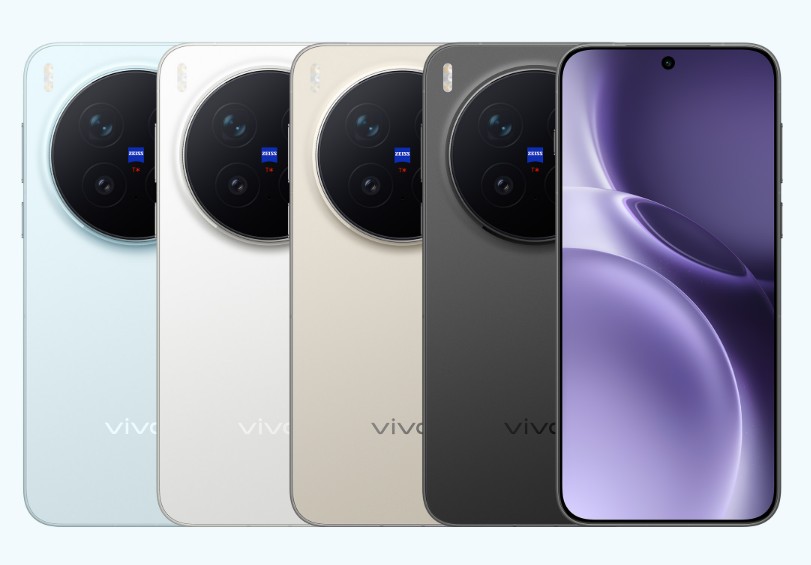
vivo X300 Pro is another outstanding smartphone designed for people who need top-notch photography without compromising on performance. Co-created with ZEISS, it comes equipped with a flexible triple-camera setup featuring an impressive 200MP APO Telephoto Camera that offers excellent long-range photos, portrait photography, and even macro shots.
Equipped with a MediaTek Dimensity 9500 chipset and OriginOS 6 powered by Android 16, it delivers seamless multitasking and flagship-level performance. It also features a 6.78-inch LTPO AMOLED display, a 6,510mAh battery, 90W FlashCharge, IP68/IP69 protection, and advanced AI imaging.
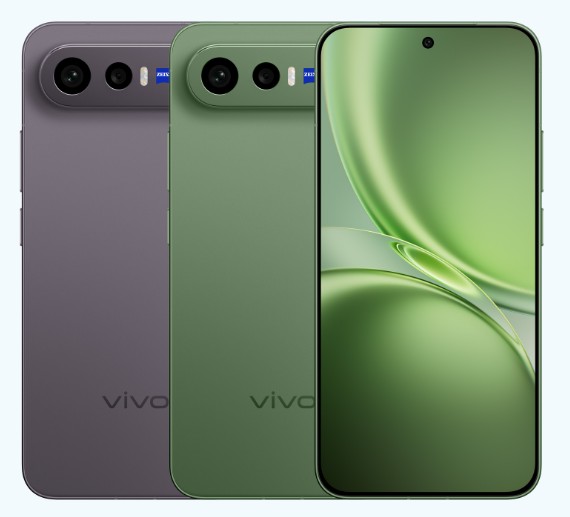
The vivo X300 FE is a mini-class premium smartphone that combines flagship performance, cutting-edge ZEISS imaging, and outstanding battery endurance in one beautiful, lightweight device. Equipped with the Snapdragon 8 Gen 5, it enables smooth multitasking, gaming, and AI-assisted features.
It also has a ZEISS-powered triple camera with a 50MP telephoto module that supports 3x optical zoom, enabling professional portraits and sharp long shots with natural colours. This smartphone is built with IP rating protection, OriginOS 6 software, and premium hardware. The X300 FE is available in the following colours: Noir Black, Lilac Purple, Urban Olive.
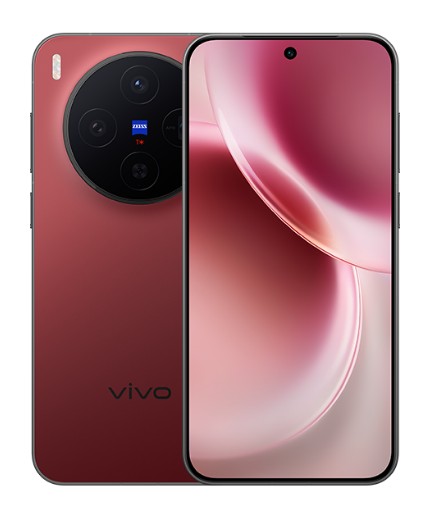
The vivo X300 is another impressive phone that combines professional photography with excellent performance. Together with ZEISS, this device comes with a versatile three-lens system that includes a 200MP primary camera delivering clear pictures, beautiful portraits, and excellent results even in low light.
Thanks to the MediaTek Dimensity 9500 chip and the latest OriginOS 6 running Android 16, this phone boasts fast multitasking, AI functionality, and long-lasting software support.
With a 6.31-inch AMOLED screen, a 6,040mAh battery with 90W Fast Charge, IP68/IP69 rating, and advanced connectivity, this phone can serve as an excellent flagship for those who want the best performance in a small body.
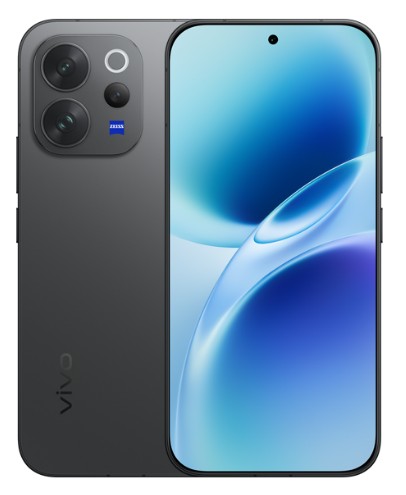
Vivo V70 Elite is a mid-range device that brings a blend of sleek design, advanced camera for excellent photography, and consistent performance. Equipped with the Qualcomm Snapdragon 8s Gen 3 chipset, this phone provides fast multitasking, gaming, and AI experience.
Moreover, the 6.59-inch AMOLED screen with a 120Hz refresh rate delivers an enhanced user experience, while the large 6,500 mAh battery with 90 W FlashCharge ensures consistent performance. The vivo V70 Elite runs on Android 16 with OriginOS 6 and is the perfect combination of beautiful design, long battery life, and excellent cameras.
This phone is available in several colours, such as Passion Red, Sand Beige, and Authentic Black.
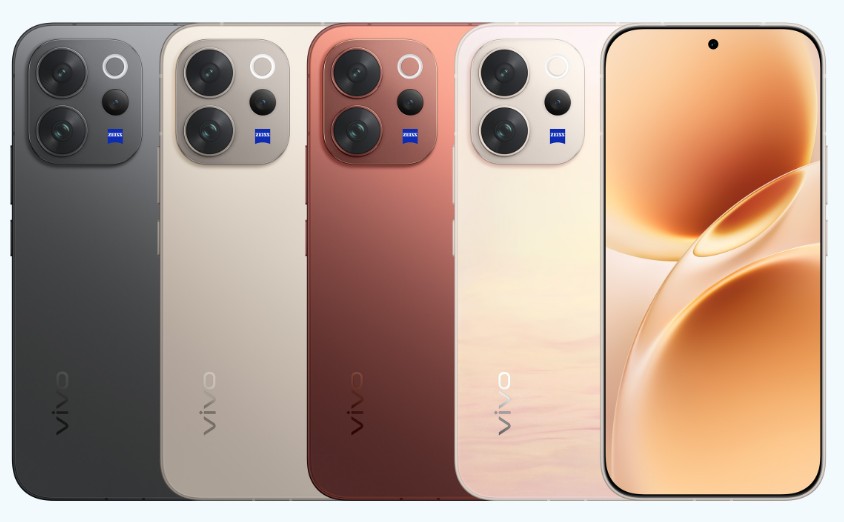
The vivo V70 is an elegant, high-end upper-mid-range device offering stylish aesthetics and excellent performance, thanks to a flagship-level camera module and a power-efficient battery. Equipped with a Qualcomm Snapdragon 7 Gen 4 CPU, the smartphone delivers lightning-fast, stable performance for gaming, multitasking, and AI.
The standout feature of this model is a ZEISS co-engineered triple camera setup, including a 50 MP ZEISS OIS main camera, 50 MP ZEISS Night Telephoto camera with 3x optical zoom, and an 8 MP ultra-wide-angle camera. The smartphone comes with a 6.59-inch 1.5K AMOLED display with HDR10+ support, 5,000-nit peak brightness, etc.
It also has an ultrasonic fingerprint sensor and stereo speakers.
vivo X300 FE targets performance, equipped with a Snapdragon 8 Gen 5 chip, a 6,500mAh battery, and a premium lightweight design.
On the other hand, the vivo X300 is designed for photography enthusiasts, coming with a 200MP ZEISS main camera and the latest generation of the MediaTek Dimensity 9500 processor. It also offers an advanced flagship camera system. You can opt for the X300 FE for performance and battery life, and the X300 for improved camera quality.